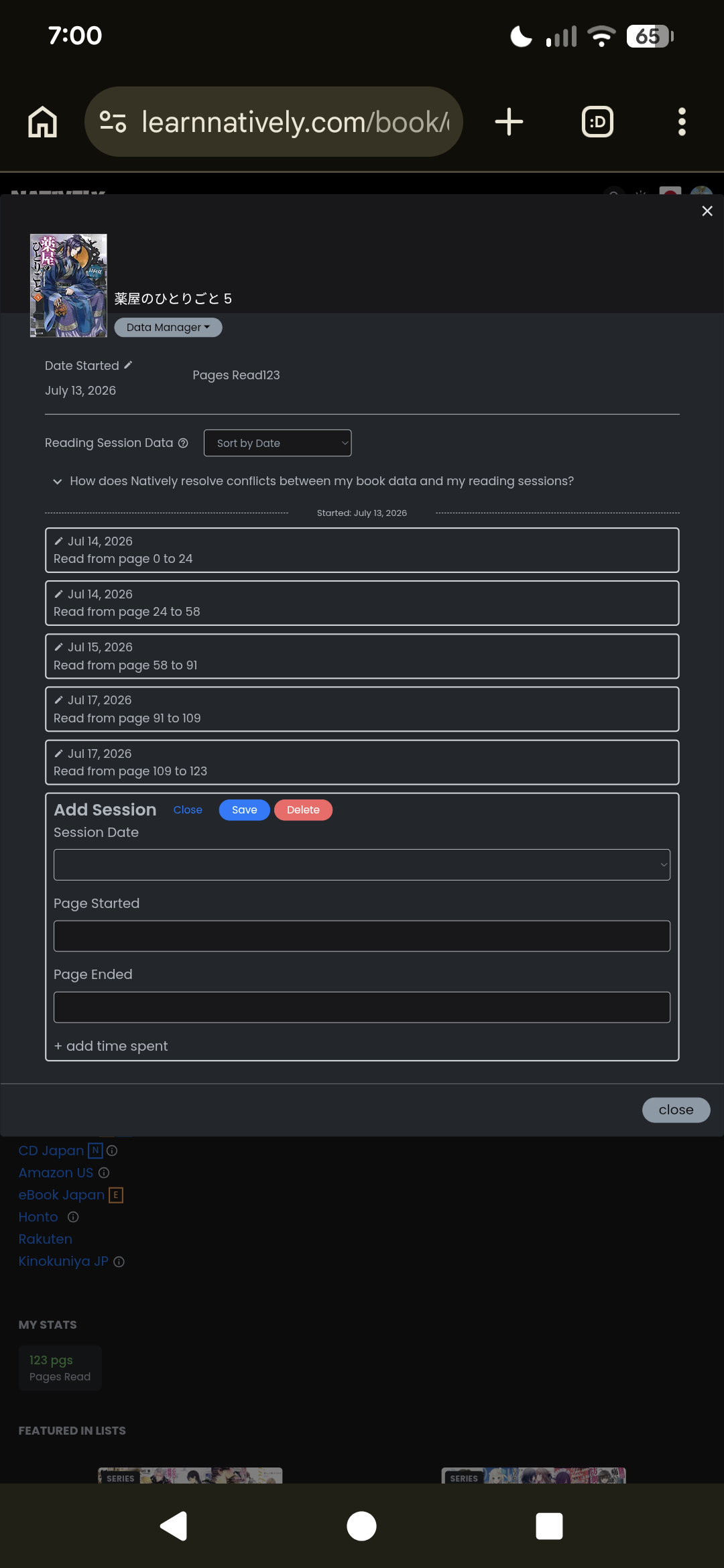
When adding a session via the data manager, it would also be nice to have the last page read/starting page prefilled, and maybe today’s date preselected as well?
Also, when I add a new session in the data manager and put 30 minutes for the minutes and nothing else, I want it to understand that that means “hrs=0”. I get an error that hrs is empty if I try to add it that way, and it gets me almost every time. Currently it has the greyed out 0 already filled in in the hrs field, so either prefill that with a normal 0, or make the hrs not required.
The second part (smart hours and minutes) is live now! (You can even add 90 minutes and it will understand that )
For the first part, we are now filling in a lot in the data manager, but we are wondering whether we took sensible decisions as people might want to use it for backfilling more often than not? What do you all think, @Myria and others?
Basically, we are trying to modernize everything, but we can only do this one full page at a time, we cannot just plug a small part of a renovated page into a page that has not yet been overhauled, for technical reasons. That’s why we currently have two data managers (among other things) in parallel . We would like to not spend too much time backfilling new functionality into the old parts - instead we are trying to move forward with the renovations as quickly as possible.
Thank you all for your understanding
As an Amazon Associate, Natively earns from qualifying purchases through any Amazon links on the site.
 Currently it has the greyed out 0 already filled in in the hrs field, so either prefill that with a normal 0, or make the hrs not required.
 )
)


 . We would like to not spend too much time backfilling new functionality into the old parts - instead we are trying to move forward with the renovations as quickly as possible.