I might be blind, but how to add personal grading? The one that compares this “book is easier than this book.”
I can add review, change status, but I can’t find grading.
I might be blind, but how to add personal grading? The one that compares this “book is easier than this book.”
I can add review, change status, but I can’t find grading.
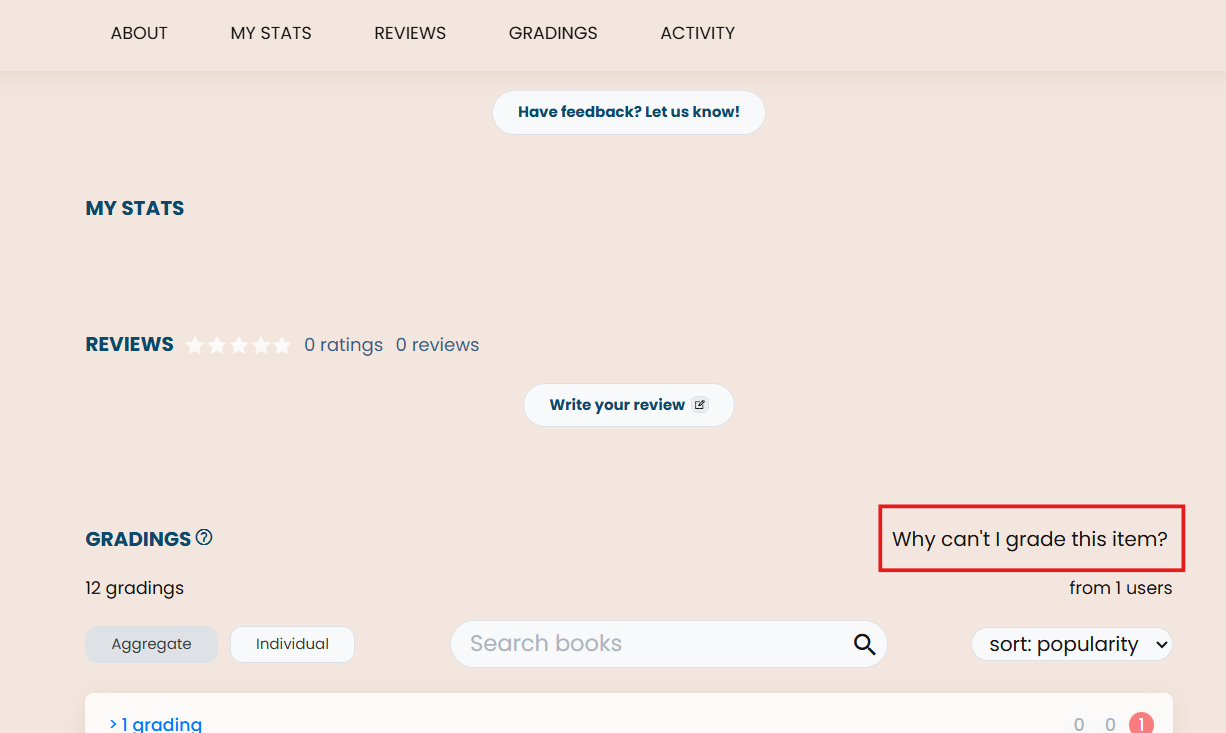
Hello, and welcome to the forums! Once you mark a book as Finished or Stopped, the button shows up on the right side of the Gradings section of the book page:
I don’t actually have the button available for any of my own books at the moment, but that circled red area is where it would be if it were.
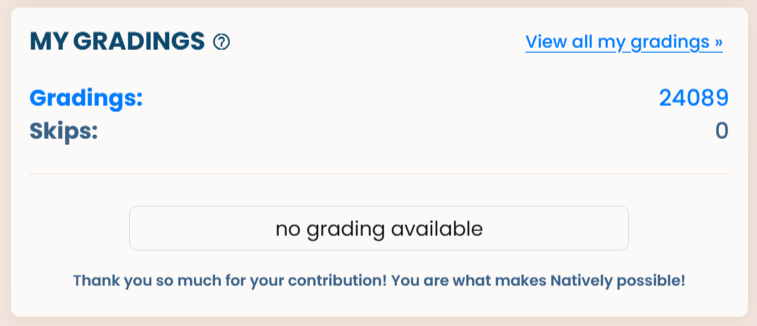
When you have gradings available, this button on the dashboard will change from white to blue and from ‘no gradings available’ to ‘grade now’ (or something like that).
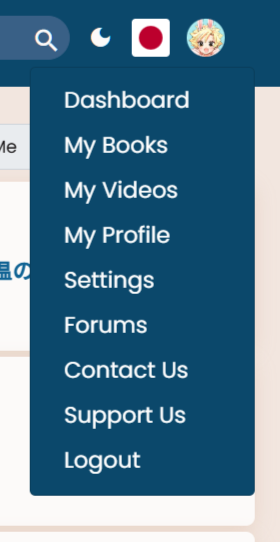
A new option will also appear in the profile dropdown, again saying something like ‘grade now’, and it has a little exclamation mark next to it to make it more visible (obviously I don’t have any to grade right now).
Thx all.
Eventually I found it. You need two finished books in order to compare.
Ah yep, that’s also required. Sorry, I forget that new users have to start from 0, haha.