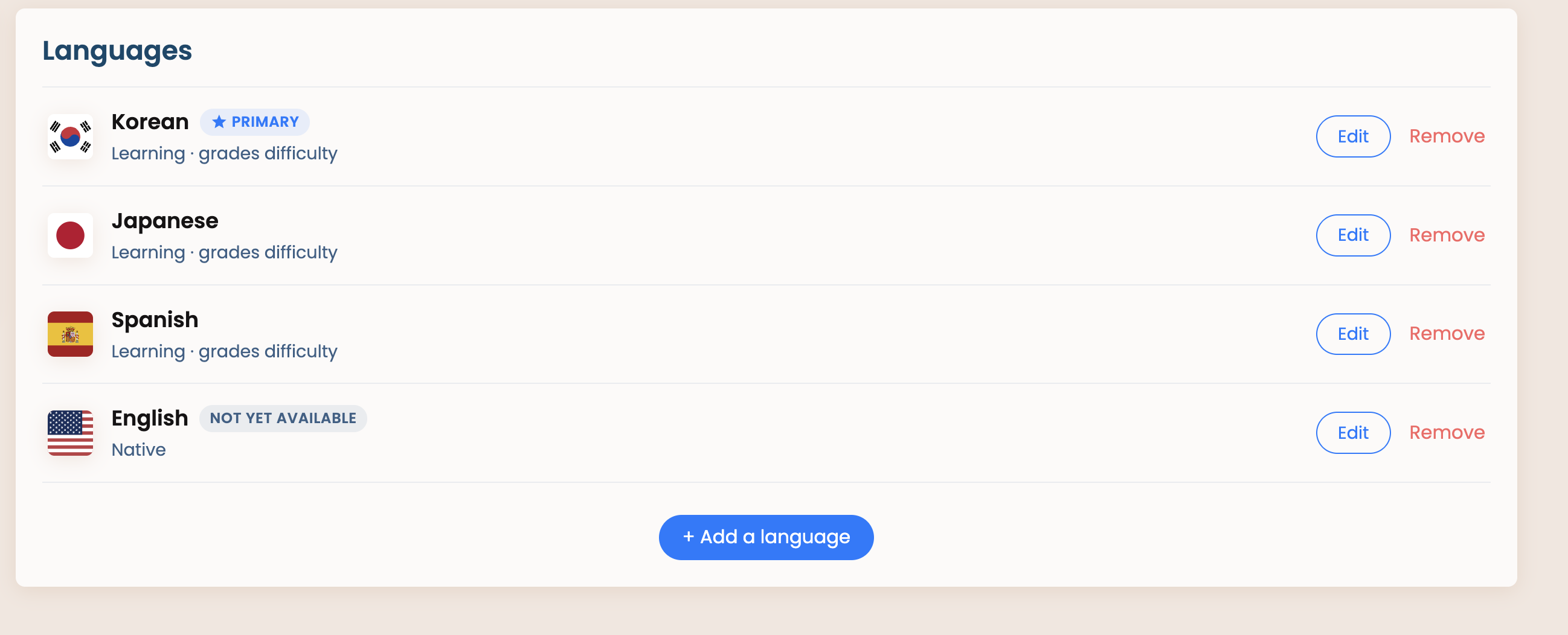
Before adding English, I’d like to improve our language settings and language registrations, as there will be undoubtedly a lot more Native / Near - Native speakers on Natively.
Why marking yourself as ‘Native’ is important?
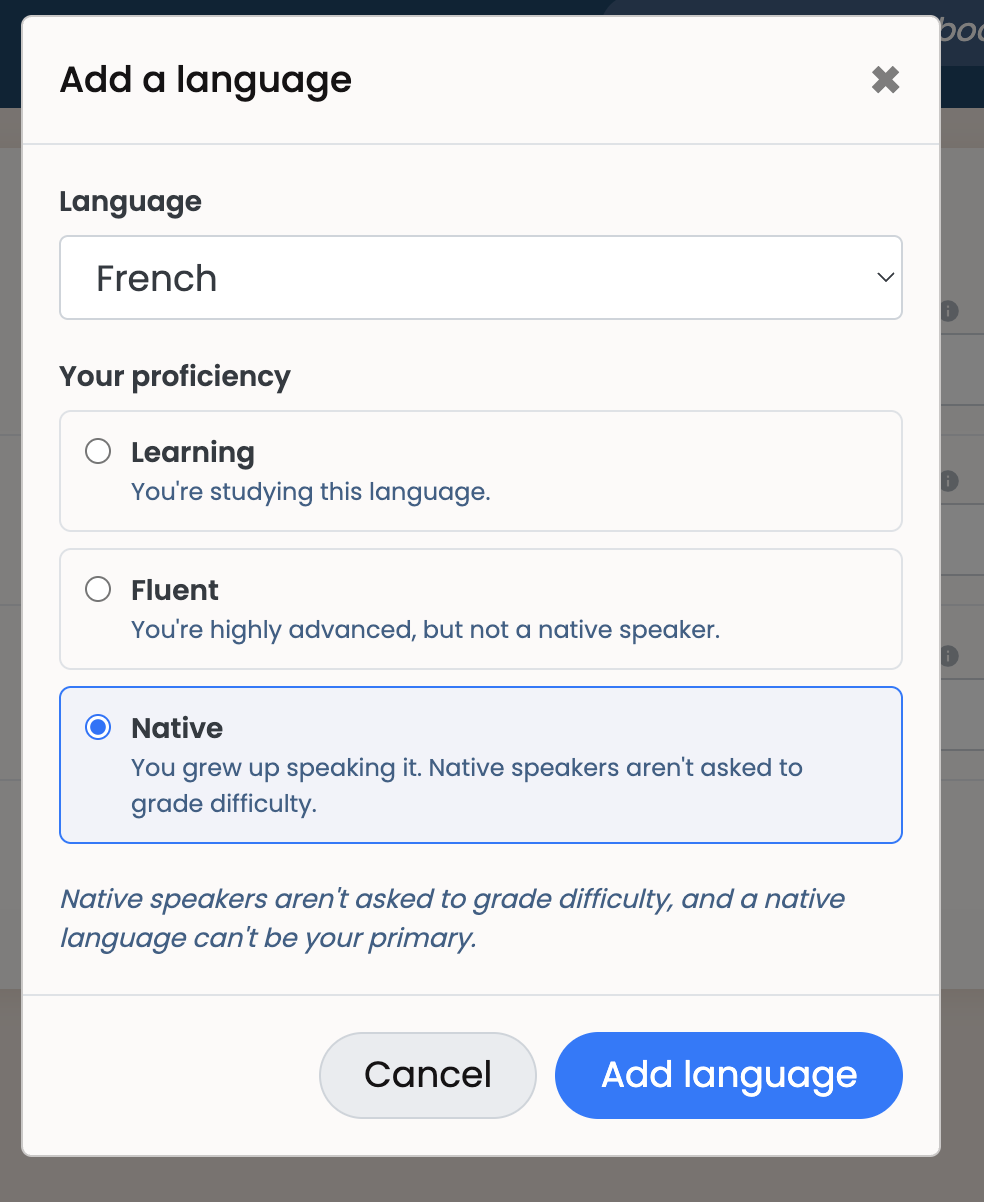
If you mark yourself as ‘Native’ then you won’t be prompted to grade difficulty. Native speakers notoriously are bad at grading difficulty for media so we’d prefer if Native speakers do not grade.
Proposed Updates
Require a language to be registered before you can add items to your library
When adding a new language in your settings, require selecting a ‘status’ of the language - still learning or ‘Native’
Improve the UI to explicitly show what these statuses mean. Perhaps change ‘Primary’ & ‘Secondary’ to ‘Learning - Primary’, ‘Learning - Secondary’. We could also add an explanatory subheader lines in the UI
Maybe we need to add an additional option like ‘Fluent’ / ‘Fluent - No Grading’ / ‘No Grading’ option which mimics ‘Native’ as native but allows non-native users who are extremely fluent to remove themselves from grading
Either that or just make the one option “Native / Fluent” or simply “Fluent”. Unless you have a reason to keep two options or think you might want it separate for the future. Either way, you’ll definitely need an option for non-native speakers to avoid grading, specifically for English.
We need a Fluent option. I’m not Native, but I do consider myself fluent. Native is a threshold I’ll never reach, and I probably shouldn’t be grading English books.
While I could technically ignore the button, if they start getting mixed with my Japanese books pending grading, it would be a problem.
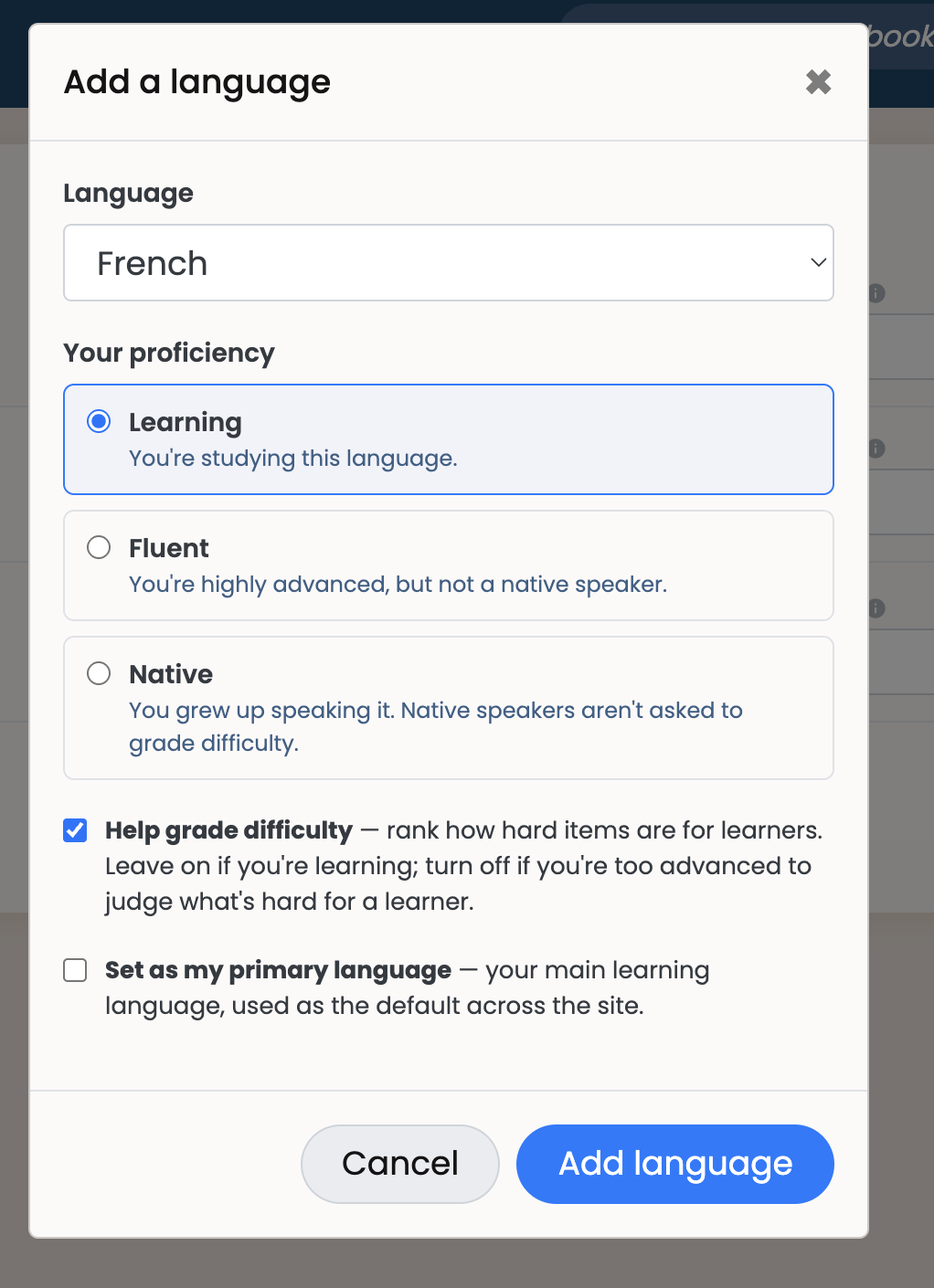
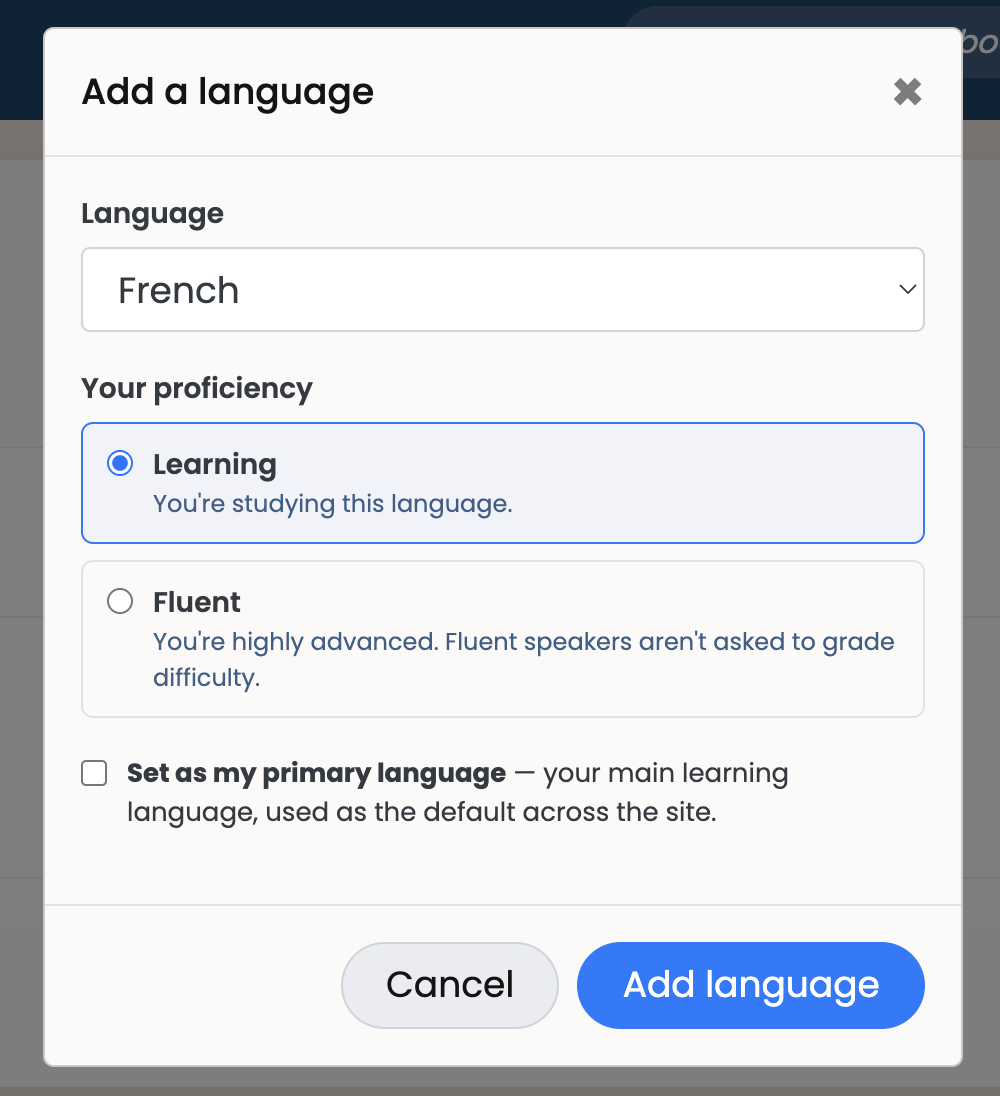
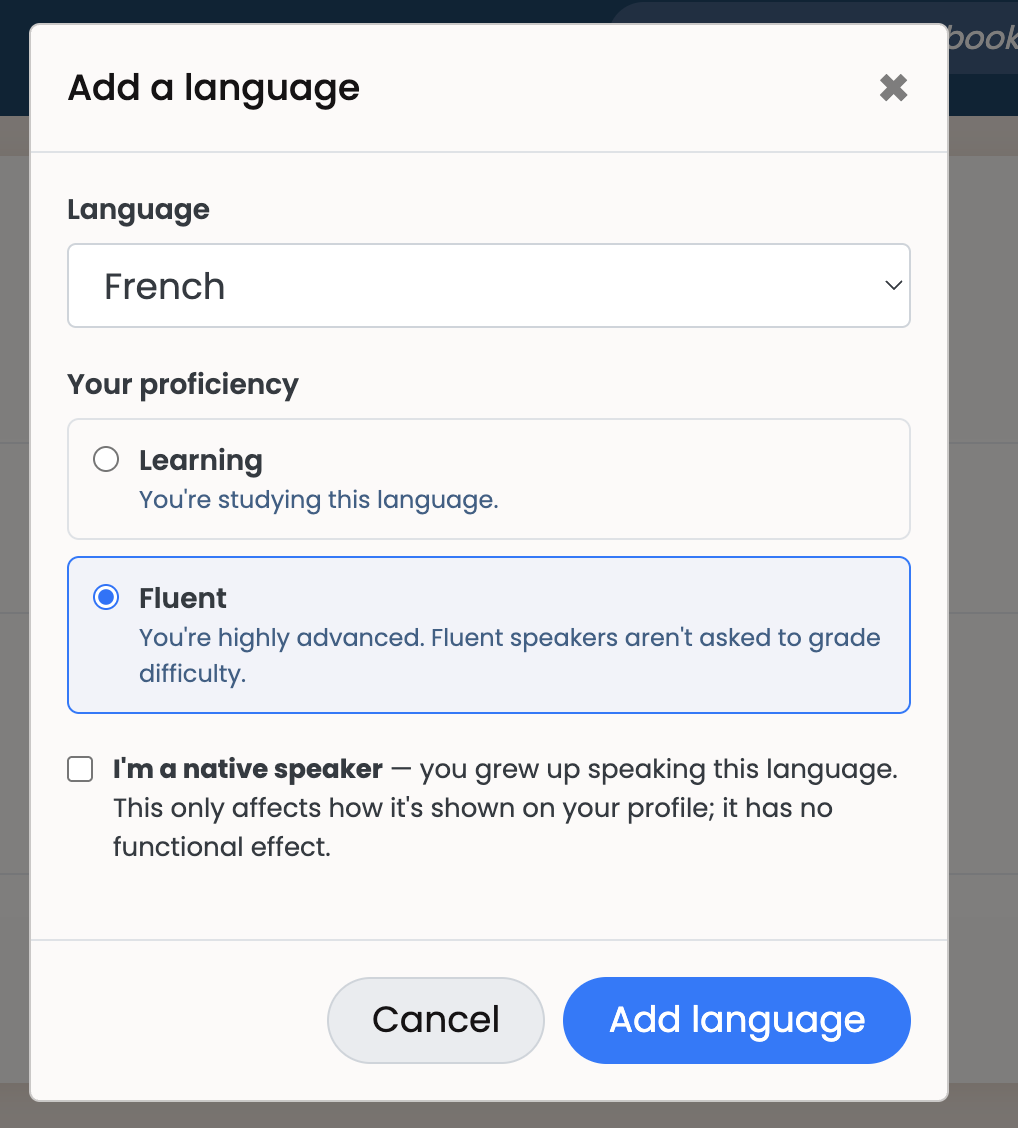
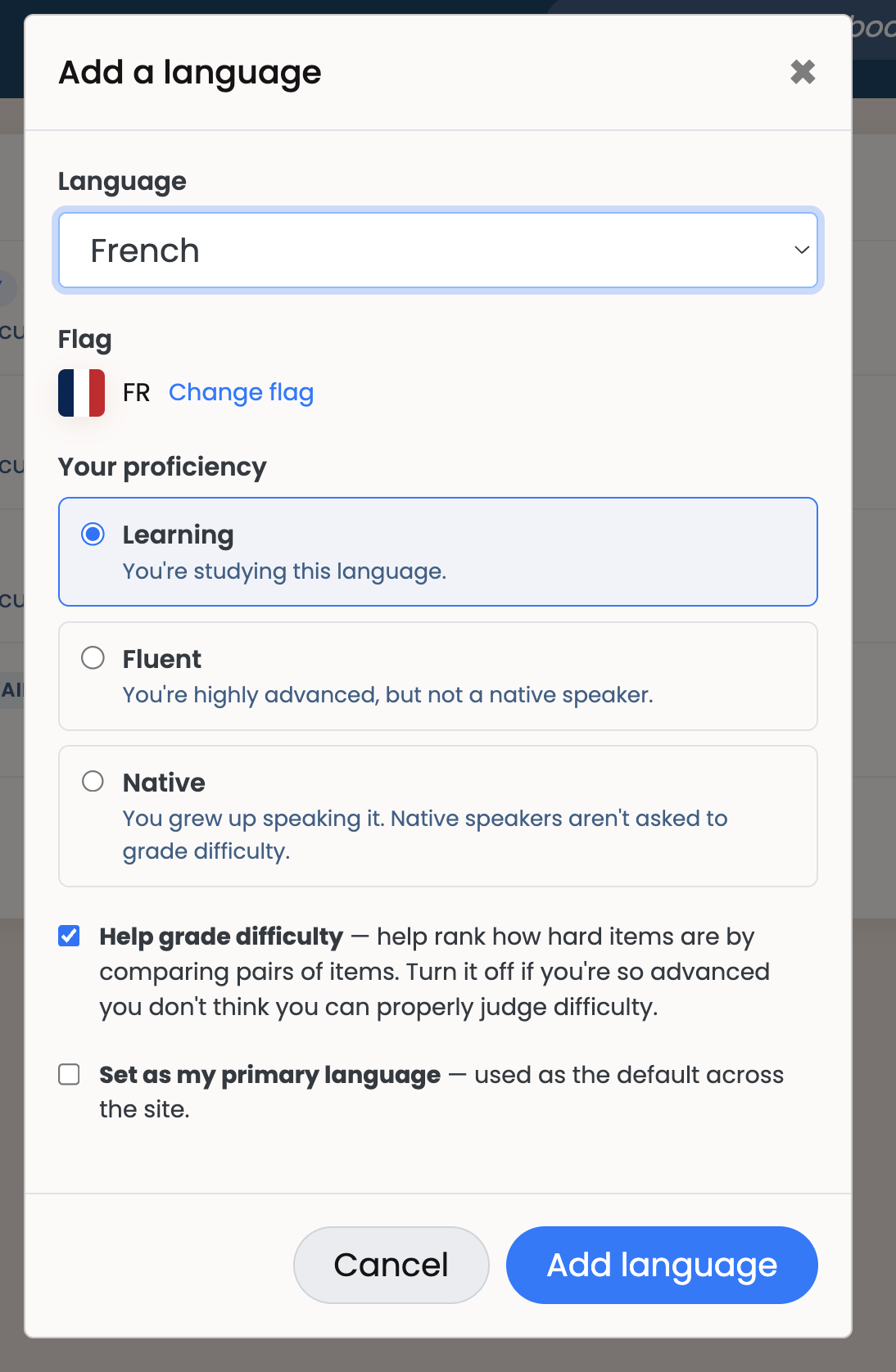
How do we feel about the below UIs @seanblue@Megumin and others? This would replace our current ‘add language’ functionality and force users to use this form.
A question I have - if you choose ‘fluent’ should there be more explanation for the ‘help grade difficulty’ specifically to dissuade near-native speakers? Or is the current text alright?
I think this looks pretty nice overall, but I thought you didn’t want fluent speakers to grade things at all? If you want to allow the option I’d recommend a couple things.
If they select “Learning” check the “Help grade difficulty” box by default, but if they select “Fluent” uncheck it by default.
Rephrase the explanatory text a bit. It says to only keep it on if you’re learning, but “learning” is the same phrase as the selection above. Similarly it says to turn it off if you’re too advanced, but that’s similar to the explanatory text underneath “Fluent”. My point is that it’s a bit redundant to explain the “Help grade difficulty” checkbox in a way that strongly implies to turn it on when set to “Learning” and turn it off when set to “Fluent” (especially if you like my first suggestion).
As a side note, if I add English to my profile as “Native”, what does that change? Is it just information or will it change my activity feed to include English or something else?
Option B:
This one is much simpler, no optional toggle for grading difficulty. My main concern with this is around the term ‘fluent’ and impact on grading advanced novels. Will everyone who is reading L40+ novels mark themselves as fluent? Will we get no grading on those books? Should we allow people to self select grading?
So your questions @seanblue - i’m still not certain how to handle ‘fluent’ but not native speakers. I agree that Fluent should be unchecked by default. And that’s a good point on the Help grade difficulty text.. i’ll work on it. I do probably lean towards Option A because it offers more flexibility but the simplicity of option B is really nice.
‘Native’ is purely display right now. Perhaps in the future we could have some functionality around it but nothing now outside of grading difficulty.
For one data point to that question, @Naphthalene would you consider yourself fluent in Japanese?
@brandon I suspect the elo system might make this difficult, but would it be possible to let people who are fluent only affect high level items with their gradings?
It’s possible but won’t be doing right now. I’d probably just lean towards the checkbox. That general optimization of “funneling gradings to people who aren’t too advanced” is a good one.
Yes, I do consider myself fluent, and have in fact have stopped grading difficulties for the past couple of months when I noticed that I couldn’t really tell apart the difficulty in two books that were wildly different according to Natively (I think it was ifの悲劇 | L35 and something I read a bit after, so probably 魔導具師ダリヤはうつむかない ~今日から自由な職人ライフ~11 | L30)
It’s not like the system asked me to compare them, but if it did, the best I could do is “about the same” (despite a 5 lvl difference). Past that point (and based on prior discussion of potential bias and the like), I just stopped grading. I still try my best providing a temporary level when adding something, but anyway temporary levels are less important, so I don’t worry too much about it.
Only grading high level stuff is an option, but I do feel like there will still be advanced learners (but not yet fluent) reading at that level, so I don’t think the impact of completely blocking grading would be that high.
We do have the skip and block functionality so it’s not like users don’t have any recourse. But you’re right, more configuration might be nice in order to encourage engagement.
That’s an interesting way to discern if you should be grading or not. I’d probably be the same with English, unless one is wildly more difficult, like speaking of very technical terms, I would probably wouldn’t be able to tell most of them apart.
I like the one with more options (Option A from the first post), although I can see why it would feel overwhelming for most users. Probably it would be better with some onboard flow and ask step by step while properly explaining what each of the options do, and maybe examples of when you should consider as learning/fluent.
Since it’s not something you are going to do frequently, I don’t think it would be that annoying/overkill.
you now cannot add new items to your library if you are not subscribed to a language (before we auto subscribed you). This also applies when you request new items to be added to the site and specify a ‘user status’. It’s ok to request items excluded from your library.
you can edit already existing items in your library for those users that have already added them… you still do get the warnings on your profile
Is it possible to mark native users vs learners in the activity feeds, and/or have the option to filter out (or filter for) native users’ activity? With the addition of English especially, I think it would be helpful to know how much of the activity is from natives vs learners, and maybe native users’ activity shouldn’t count towards a book’s popularity or final reading stats.
I’m curious how the trends will differ between native readers and learners!
Great suggestions! I’ve put them on the “Improve Activity Feed filters” card
(I copied the whole text because I am not sure it’s still accessible when this card gets archived )
As an Amazon Associate, Natively earns from qualifying purchases through any Amazon links on the site.