Maybe just adding a decimal to the percentage would make me happy, since rounded percentages feel really imprecise.
Maybe another problem here is that 0% is usually not identical with „start of page one“.
Also digital versions (where percentage is exclusively used) and physical version of books may have different number of images.
I think the “progress update” does accept decimals when adding percentages.
But when adding a reading session in the “data manager” tab, you can only add pages and can’t even choose percentages, so there’s some discrepancies there… I never know where to add my reading sessions since I want to add percentages in decimals, but I also want to add the date. There’s no single place to do that currently
Not only that; they also have different amounts of whitespace and such, from dialogue as well as from chapter breaks. So there is no perfect match between the percentage of a paperback version and a digital version anyway.
I think it would also be nice to be able to manually add the character count of a book. I used to exclusively use page numbers and the page number I put in was several points off from the percentage I was into the epub file.
For manga though I’m just happy to be able to manually change the total number of pages. It doesn’t bother me that much if the percentage is off.
Yes. I would love that. Add your own “my ebook has 1161 pages with my current device settings” and then just enter the page you’re on.
That would remove the step of “okay I’m on page 167 of 1161 in my ebook, what percentage would that be?” that I have to perform for every single reading session I want to enter into natively.
Basically that’s what I am thinking about right now, let the user say what their unit of measurement is and what their maximum is, and then that would work for ebook pages, kindle locations, character counts, even percent, tankobon vs bunkobon or even the book pages themselves.
Do y‘all think people would want to change the counting method in between? I can’t really see a need for that, so I would fix it once it’s specified, but please let me know if you see good reasons.
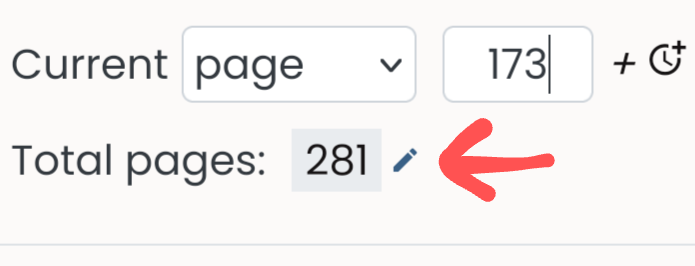
I don’t think they meant actual pages. Some ebooks in the kindle app don’t actually show what page you’re on. They give you random sets of numbers to show your progress. It could be a 100 page book and they’ll give you place 350 of 1140 or something stupid. In theory though it should work the same way.
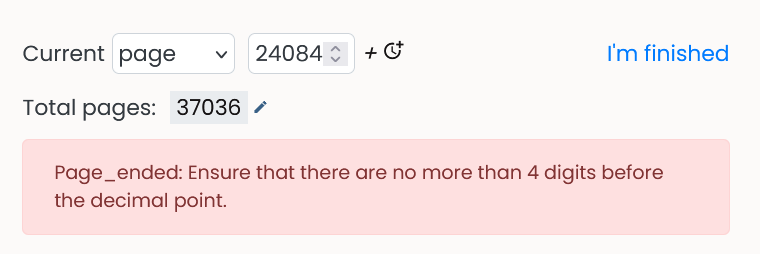
Your comment also made me realize that maybe I’m just a fool and I could’ve been putting the character count, instead of the actual page number, the whole time. Just so we all know, it doesn’t work. The number is too high apparently.
Interesting, I’ve never read a proper ebook so I didn’t know they worked that way. Is the total for those random page numbers at least consistent, or does it change as you go? I’m not sure how Natively would be able to track where you are if Kindle itself is just making numbers up lol
They only work that way if that page numbers weren’t inputted by the publisher for the ebook I think. I’ve had several books in a series show me actual page numbers at the bottom and then one book in the series did that nonsense where it just looks like they chose a random number for the amount of pages.
The end number stays the same. The amount the progress number goes up from page to page though might not be. I’ve never looked that closely. I just know I hate it so I go by percentage for those books so I don’t have to think about it. 
EDIT: It looks like this. This book has 145 pages and is over 26k characters. WHAT ARE THESE NUMBERS?!
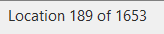
26k divided by 1650 is about 16 characters per ebook page… is it counting sentences or paragraph breaks maybe?
Well, it’s not counting sentences, lines, or paragraph breaks. Between the first and second pages of chapter 1 it jumps from 53 to 71. The closest number I can get to with any of those is 63. The first page of the table of contents (which has every chapter listed except ONE) is 28 and the very next page (with a single line of text on it) is 49. It doesn’t count pages with pictures though so there’s that.
I swear it’s just a bunch of random made up numbers. 
something to consider is that
…using char for page numbers is your pages read will be wildly off… stats for pages read etc…
typically ereaders so give you a percentage (if you turn it on)… I use ttsu and the % is there and that’s what I use…with fractions … works fine
Yes, that would work.
epub files are just a file with the text of the book inside. And since you can change the character size, line spacing etc on most ebook readers, the number of “ebook pages” will depend on those settings and also on the screen size of the device you’re reading on.
(I don’t know how kindle locations work though.)
The reason I don’t want to change the actual page numbers on Natively to ebook pages, is because I still would like comparable stats and reading speeds across books. So I don’t want Natively to think that I read 100 actual paperback pages in an hour.
Bookwalker doesn’t give you a percentage, although I can obviously calculate the percentages myself if the reader shows me I’m on “page” 824/2080. But putting the page into Natively would be convenient for me.
Ok great  On it!
I think they are markers in the text, so they should work the same as character or word counts, but of course they are only available on Kindle. But the principle is the same as all others: we have a maximum number and intermediate numbers, and so we can transform to real pages just like everything else.
Yes, but it still equates this with pages and I wouldn’t want it to do that. I’d love to know, based on the percentage I set it to, how many characters I’ve read, not how many pages. Which is a feature that doesn’t exist right now.
Exactly. Using page numbers with chapter books doesn’t mean much in terms of actual data to me. Like sure I could say I read 20 pages or xyz percentage of the book, but how much actually is that? A character count is much more accurate for that specifically. Not that I’ll boohoo if that’s never a feature available on the site. It’s not that big of a deal. I’m just saying.