In this case, definitely yes, the messages both when requesting books and in the confirmation emails should be updated. Currently it’s not clear at all that book requests with notes are sent to the librarians’ queue, and unfilled series may still get fixed sometime after the approval happens. Getting an email update saying there were no issues with the approval, even though notes are still waiting to be implemented, makes it seem like the request is done being dealt with on Natively’s end and the approval process is just broken… I was assuming it was on the user to follow up on incomplete requests and pester librarians to clean up after the auto-approver, so sorry if I was doubling up on notes for things that were still in the queue!
It would be nice to get a heads-up when a request is fully completed (i.e. all notes addressed and series filled), just to know when it’s possible to interact with books in the rest of the series and mark them as owned or wishlist or whatever… but also too many extra emails could get spammy I’ll leave that bit to Brandon’s discretion.
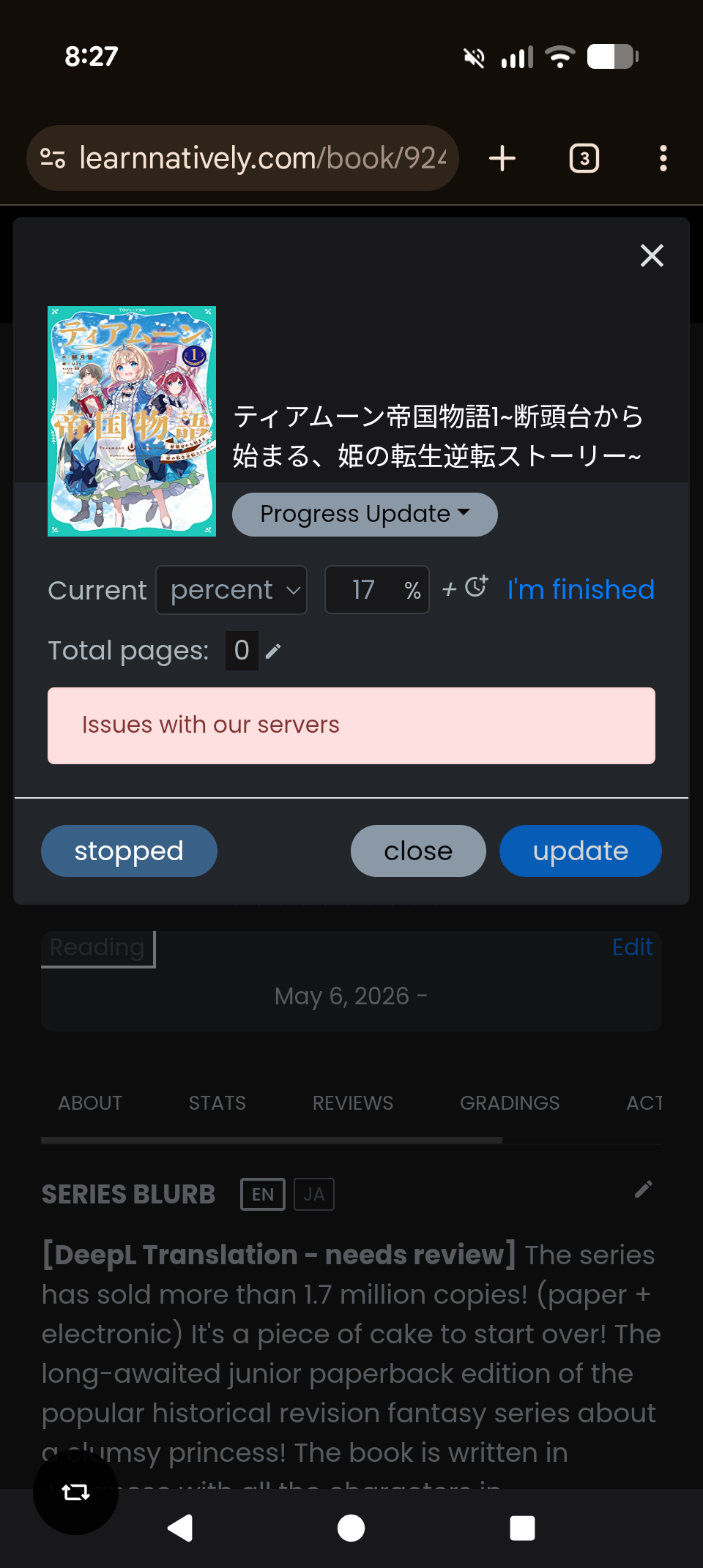
I can’t seem to update my progress on Tear Moon Empire. I’m not getting the issue with anything else. I’ve tried deleting and re-adding the book to reading but it hasn’t helped. Here is a screenshot.
If you ever see that again, drop a note via the Feedback button on that book’s page; librarians can go in and update the book for future readers so they won’t run into the same issue. (I think, from my own small amount of testing, once a book is in your library its page count doesn’t get updated if we update the book data’s page count, for better or worse.) I did go ahead and update that book. o7
This seems like something there could be an automated check for… Like a script that would scan the DB for stuff with Total Pgs: 0. Could auto correct it to 1 pg, until the librarians are able to process it. This way ppl (hopefully) don’t get too overloaded.
I don’t know if here is the proper thread to ask but I have tried adding 3 different books today and all of them error’d on me with “Issues with our servers” and idk if it’s me or Natively lol
Ok, so we’re back now everyone! The cache server (redis) crashed.. I’m not entirely sure how. The more concerning thing is that I did not get a text message alert .
Ugh… ok, issues again. @cat was correct. The servers are related to the AWS outage and some of the critical ones are in an impaired/degraded state still.. even after my temporary fix. Addressing now!
Ok! We should be fixed again.. although as long as Amazon AWS continues to be spotty, I’ll have to be vigilant and the website may go down again. Thankfully, my alerts should be much better now… the monitoring server also went down which is one of my alerting services. We do have a 3rd party external service as well for uptime alerts but I missed their email and their texting service might be having issues too.
Natively unfortunately is all on the affected Amazon Datacenter due to cost reasons.. so if there continue to be outages, we will continue to be affected.
At least last I knew it was all in the az 1a, so if you can shift AZs within us-east-1 you might get more stability. That said, when it hit my work earlier we had issues getting enough machines at first (understandably, they lost a lot and you can’t exactly pull them out of thin air…)
That’s a good suggestion - but my understanding is that you get data transfer fees if you transfer data across ec2s in different subzones as well. That means we need to have all the ec2s & monitoring server on the same subzone for cost.
Frankly, this is a rare enough issue, i’m not too worried.. if my uptime service (pingdom) had sent me a text rather than only emails this would’ve been a 5 minute outage and not a 2 1/2 hour one
 I’ll leave that bit to Brandon’s discretion.