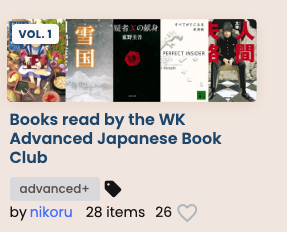
Description of your request or bug report: it would be great if book/video and series pages had a Lists tab, where we could see what public lists a book has been added to. Reasons this would be cool:
Book/video discovery - easy way to find other things in a similar vein
People write helpful/interesting things in list descriptions, that might not be in a review (it they might not write a formal review in the first place)
List Discovery - easier to find interesting lists (might be less relevant as lists get more sophisticated filters)
I agree! I think we can show a whole lot of valuable content on the book pages now, I just haven’t gotten it all together.
blurbs
tags
reviews
lists it’s a part of
similar content (this would be new, but after looking at it, it wouldn’t be hard)
gradings
activity (less valuable)
Right now, the only really engaging things I feel are blurbs, tags and reviews. Gradings are certainly interesting to more advanced users, but ‘similar content’ I think would be more valuable, same with lists.
Activity probably could be made more engaging with a few tweaks, but generally I think it’s less engaging then the other things mentioned.
We’ll see when I get to it, but it’s relatively high priority. Would think in the next month or two.
I’m not sure if it exactly belongs in this list, but something that might also be interesting to surface could be newly added content. Partially as media discovery, but also partially because I’m self serving and I want everything on Natively to have a grade and there’s no way to do that if people don’t know it’s here
For me “Lists this is in” feels a little more valuable than “Similar content”, just because it would be human-curated, but “Similar content” would lend better to discovery of less popular titles, so they would both be excellent things to include on book pages.
Gradings could be more relevant and less “advanced” if they could be filtered to My Books, so that information’s more personalized and doesn’t just look like a random list of titles.
It’s quite difficult to browse lists for new stuff you may be interested in, based on current functionality. Unless a list is Most Recent or Most Popular or someone’s posted about it on the forums, I’m unlikely to ever see it.
Suggestion
When viewing a book, I should be able to see some popular lists that book appears on.
E.g. on Letterboxd at the bottom of a film you can see which popular lists it appears on.
I think this both helps people discover new stuff, and also makes lists a bit more prominent a feature.
I would suggest on a Book’s page we add the top 3 lists it appears on (maybe including any list with >5 books or > X stars to filter out some empty-ish lists).
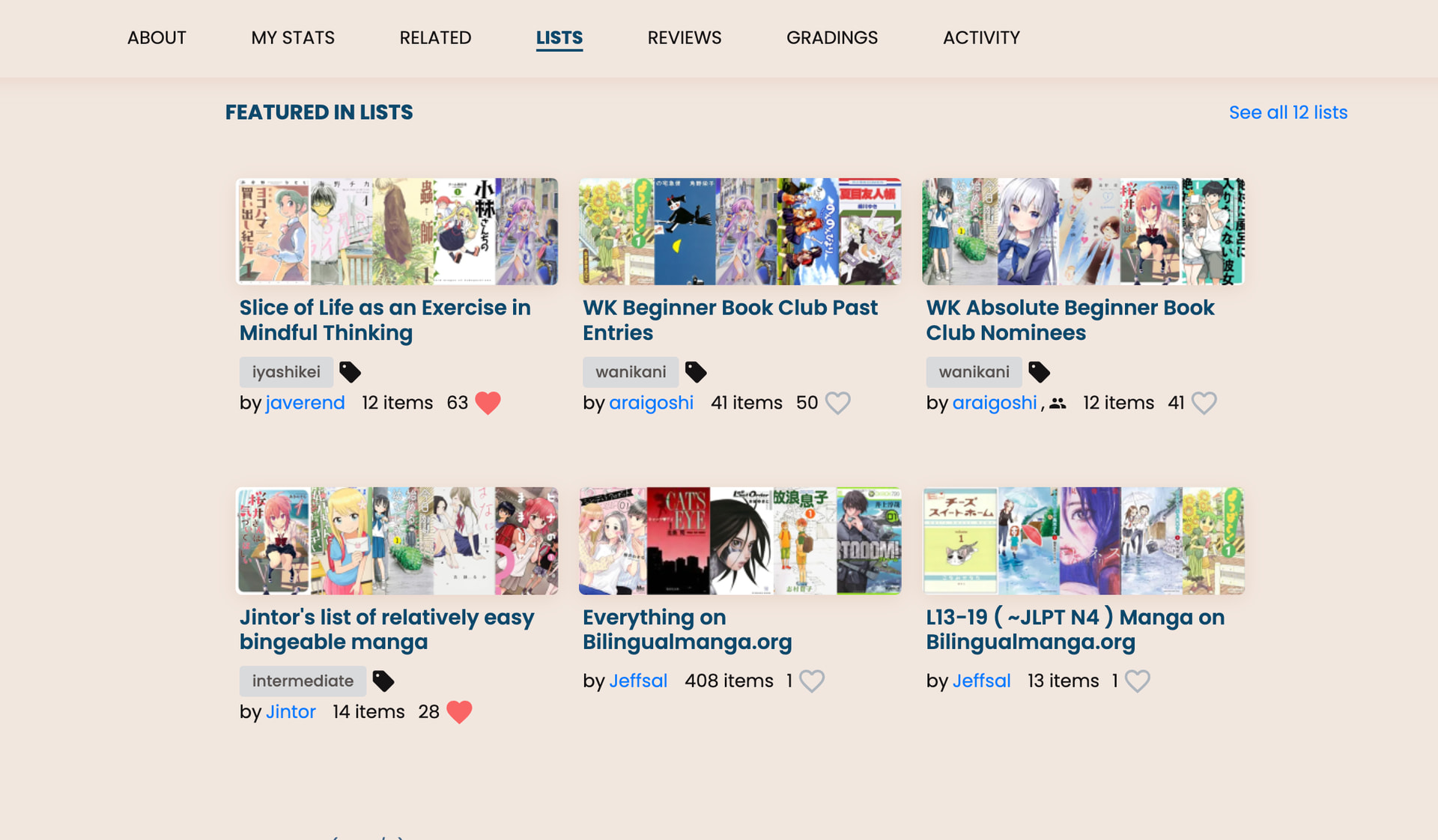
I’ve limited it to 6 items on desktop, 4 on ipad & 3 on mobile.. but as you can see there’s a ‘see all lists’ link to the lists search page filtered to this item.
You’ll noticed i’ve added ‘related’ and ‘lists’ options in the menu bar. I’m not entirely sure what’s the best ordering for these items… happy to hear suggestions on which sections should come first.
I’ve also made a number of improvements to the item page menu bar:
when you scroll down the page, it auto highlights the currently viewed section. It will also scroll the menu horizontally so that on small screens the currently focused section is central
fixed a number of bugs around overflows on mobile? And text cutting off.
And with regards to your comment @Pashmina, I agree! I’ll note the changes in that ticket.
have only browsed around a bit but a couple of questions/clarifications?
Books that don’t have lists, there is no list tab - maybe some way to indicate it’s not part of any lists
-possibly a way to sort on our library by books “in” or “not in” any lists as way to possibly find and/or add to existing lists/build up things
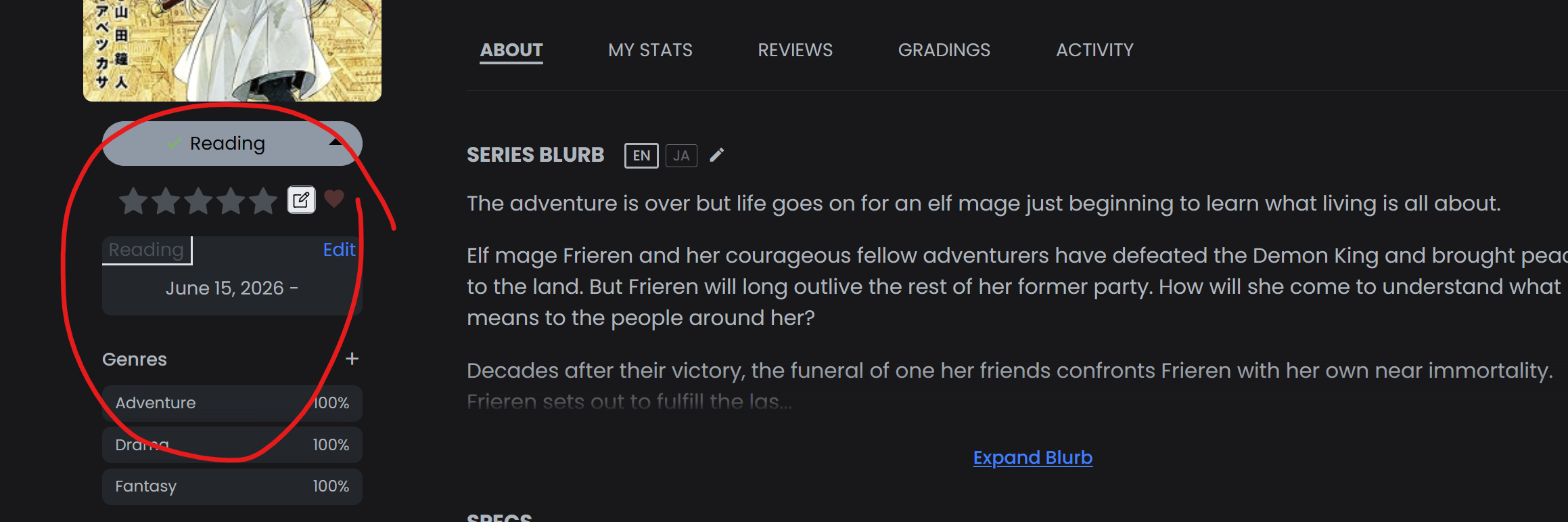
Generally it looks like “series” are where the lists are in general vs individual books (Frieren is a good example) … but as a separate example Flesh and Blood" has 1 book in a list but then the series lists are different…
-not sure how that gets sorted but seems inconsistent if the “lists” should stay with the series or the book or be separate? no reason it should be on way or the other but a random thing that might be nice to clarify
Nothing urgent or a huge issue but consistency in the layout would be helpful instead of not showing the lists at all (as an example…they can vary quite a bit depending on which book or series or whatnot) sometimes there’s a lists sometimes there isn’t…
Hadn’t paid much attention to this before but when I went looking the first few books I couldn’t figure out where the “lists” feature was … of course those books weren’t part of lists or I wasn’t looking at the series page.
All minor things but thought I’d pass along the info…
If a series is in a list it looks like the individual volume pages don’t show it. You might want to have those volume pages show the lists as well, maybe as a lower priority than lists containing the individual volume.
Top level thing i wanted to propose before addressing both of your thoughtful comments - should we filter out unliked lists as a way to remove low quality lists? Or is that too damaging to discoverability of new lists? I’m leaning to not implement the filter but thought I would propose.
That’s a good point. I think the more complicated question is should the reverse be true as well? On the series page should we show lists that feature a volume at a lower priority? Only if volume 1 is in the list?
And then what should the ‘see all’ link to? Both series and volumes?
I think probably the cleanest way is to not do the reverse, as you’re proposing. And then for the ‘see all’ for the volume it surfaces both that volume & the series lists?
yes i pretty aggressively remove sections if they have no content in them in order to try and keep the UI uncluttered. However, if you’re specifically looking for that section it might be confusing, I agree , i wonder what’s best from a UI perspective. Maybe @yukitanuki has thoughts? You’d prefer having the empty section @shuly?
Interesting thought! I think that’d be best done as a separate, followup request if you want to create. Would be very helpful
And yeah the tension between listing volumes vs series is a real one
I think listing the series lists on the volumes makes sense but the other way around not sure… there are legitimate series that people might not recommend outside a particular volume? Idk.. willing to be persuaded here!
I use PageBound in English which puts lists on the book page and I’ve found it very helpful for finding similar books. Especially for some of the less popular books I’ve read, these lists don’t have any likes until I come across them this way. I’d personally lean towards including (but displaying based on like count) all lists for this reason
Overall, looking across a few books, I think feature works really well.
Giving a quick look at lists, I would say there’s still lots of lists with 0 likes which are still valid, and interesting, lists.
I think if we did want to add a filter, it should only remove lists with < X likes & < 5 books. The majority of lists with >5 books look valid to me (even if they have no likes)
this was also the similar to 2nd item the no2 item I mentioned…
Not sure the best way to do this TBH so long as something is logical and makes sense. Combining them into a “see all” for series vs vols does make a lot of sense. (could get messy but it makes sense)
Not sure the best way to do this… one thought I had was to possibly put a button on the left in this section:
There is no list but Frieren has lists when looking at the series page so possibly a button that is greyed out - says not in lists… or something like that if no lists and maybe lit up that says “Show Lists” or something to that effect which then might make it easier to tell if a book in a series or the series is part of a list and then clicking that button shows all lists the book is a part of…
not sure the best or ideal way to do it from a UI/design perspective but a thought because you only get the lists when going to the series unless a specific vol is in a list
Alright everyone (specifically @shuly@seanblue ) - I now surface volume lists on series pages and series lists on volume pages. I prioritize the main item lists. Also I have little tags on the lists that aren’t on the main item to clarify. The ‘see all’ also shows all the lists as well.. although i haven’t yet put this volume/series tag on the lists search view.. only item pages.
TY! Definitely better - not sure what others think but at least now the info isn’t hunt/seek and all neatly in one place
I do tend to agree keeping the UI uncluttered is generally better and don’t necessarily think there needs to be an empty page where there isn’t a list (unless that’s the only solution)








 , i wonder what’s best from a UI perspective. Maybe