Good question, I didn’t think of the other types. I didn’t realise it was an old problem as it seems to work for many accounts!
Recently they all worked for me
Up until some point in the last couple of weeks - all three worked for my account. One bug I noticed but never mentioned - the “finished reading” for some reason had a time stamp at -5 hours.
I’ll test them all now for completeness.
Now:
Pages read: does not work (that’s the one I meant in my original post)
Started reading: works
Finished reading: works (also for the right time stamp)
I thought that was interesting so I set it back to started and then put in a page number - then it set it as “started reading” in my feed at 9 hours ago.
The pages read seems to work for many accounts I follow. It’s interesting that for your account you have the opposite ones working / not working.
I know there are some status change configurations where it wants to set the start/finished timing to midnight of whatever day it’s supposed to be, which is really annoying.
ホンマに!I just checked your profile, and indeed I don’t see the first two types in Activity!
Do you have the books status set to Reading already? I’ve noticed that if I don’t, then it won’t display the activity (and same for for shows). I also wonder whether a book’s “Approved” status (or lack of) makes a difference here. ie if it’s a newer book, or never got officially approved, maybe it won’t show in the feed? That’s just me guessing tho
This has always confused me, but it’s one of those “eh, whatever - not a huge deal” things to me. Sometimes it makes things look a little confusing, but there’s no real consequence otherwise
Nice sleuthing and questions you all - here is exactly where the bug I reported is (and is not):
I set books to reading on the book page or from my account lists - same behavior either way. (I couldn’t repeat the behavior that you have that it doesn’t work)
For pages read:
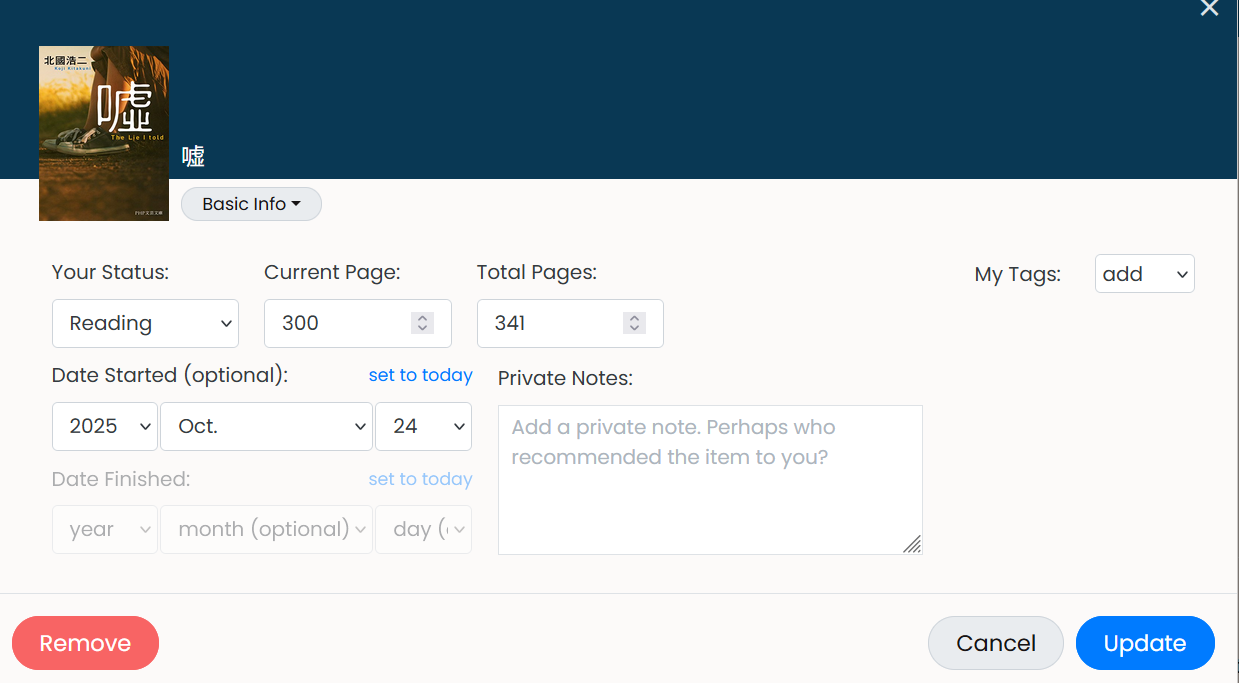
I change the pages read via the “additional settings” button in the book entry (used to work but now doesn’t see below). I don’t like doing it from my dashboard because I don’t like the forced time entry. But I just tried that and now it doesn’t force a time entry anymore. And that way of entering pages does work for me.
So I guess the FYI for Brandon is that updating the pages from the “additional options” (basic info tab) button no longer works (at least for me). In other words, if I update pages read from the page that looks like this here it does not work:
(Edit: I also tried accessing exactly that “basic info” tab when accessing the update option from the dashboard, that also does not work. I can only get the activity updates by updating pages read from the “progress update” tab view or manually through the “data manager”.)
So to recap this is definitely a recent change in behavior (in the last 5 days). As in, this is something that worked reliably before for me but doesn’t now (for the same books and I also tried other books where I’ve seen updates from other people). I didn’t change anything else in how I set pages read, and I tried from two devices (PC and tablet).
(Second edit: I figured out I can see the edits saved in the “Data Manager” on the book details pop-out. So for Momo, I had updates on October 21st and October 22nd that didn’t show up in the activity feed, that is how I noticed this issue. Then, I just went in and deleted the October 22nd entry and the re-entered exactly the same information. Now it shows up on the feed. Just in case that is helpful for debugging Brandon! The info is there and saving to the Data Manager when entering it on the Basic Info tab in the pop-up, it’s just not triggering the Activity update. So I left that data for the book Momo so that you can still see there is data for the 21st but no activity update on that date in the feed モモ | L24)
other replies
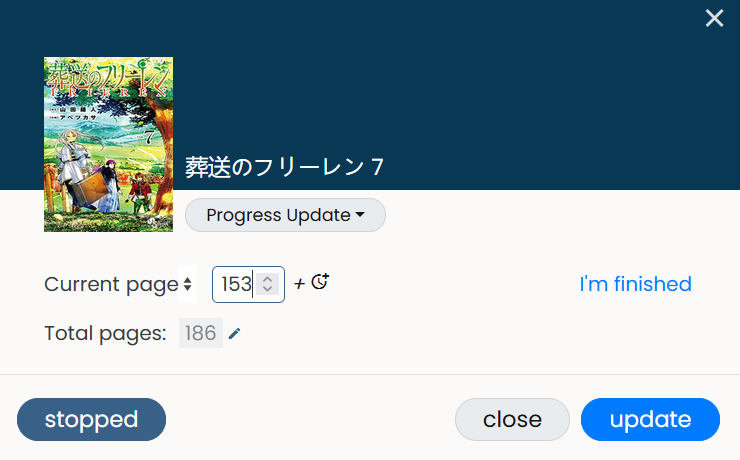
These are books that are already approved, have similar updates from other readers, I’ve set to reading, and previously my own updates worked! Frieren 7, for example.
Likewise, that’s why I didn’t bother reporting that one either.
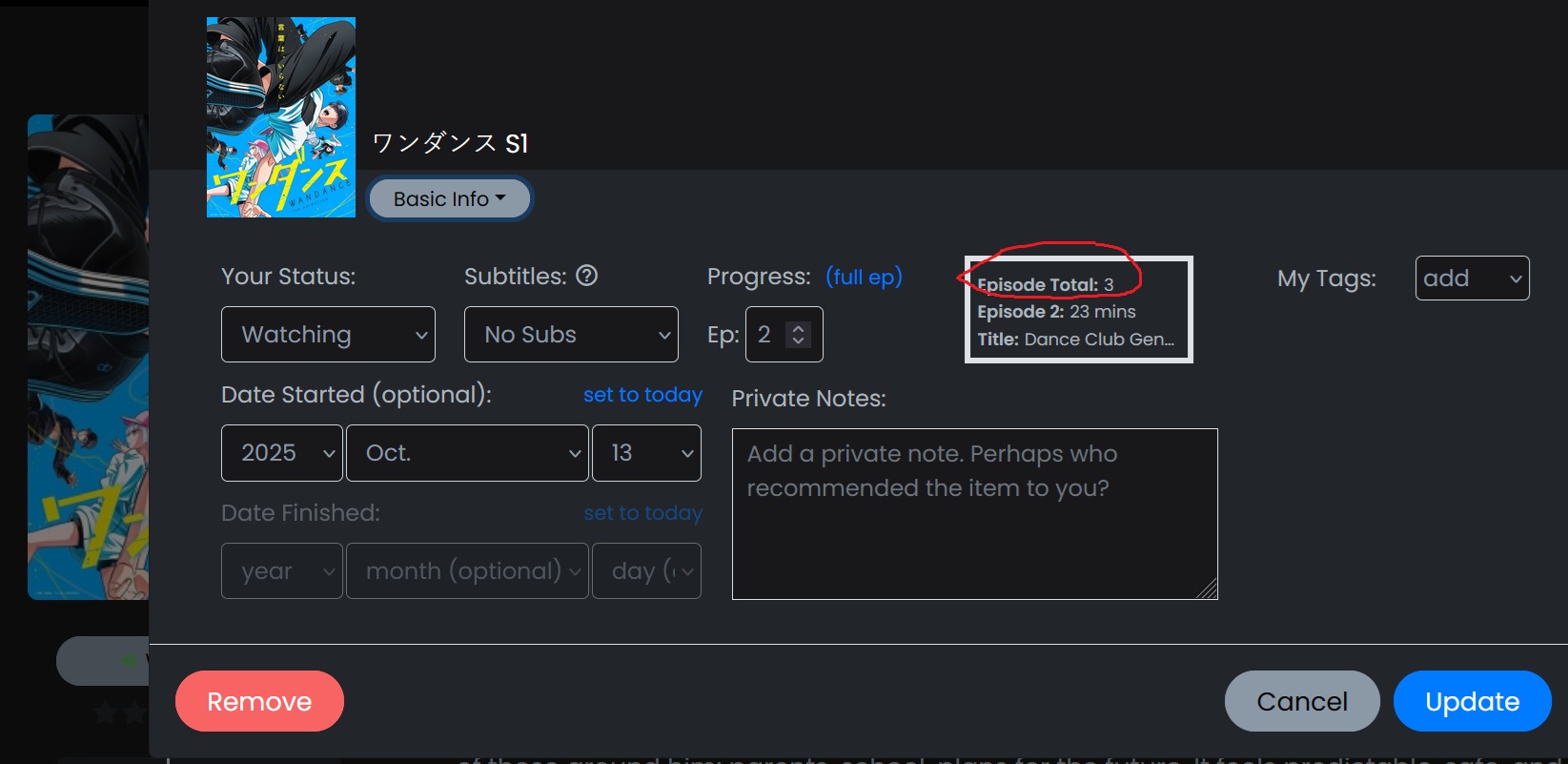
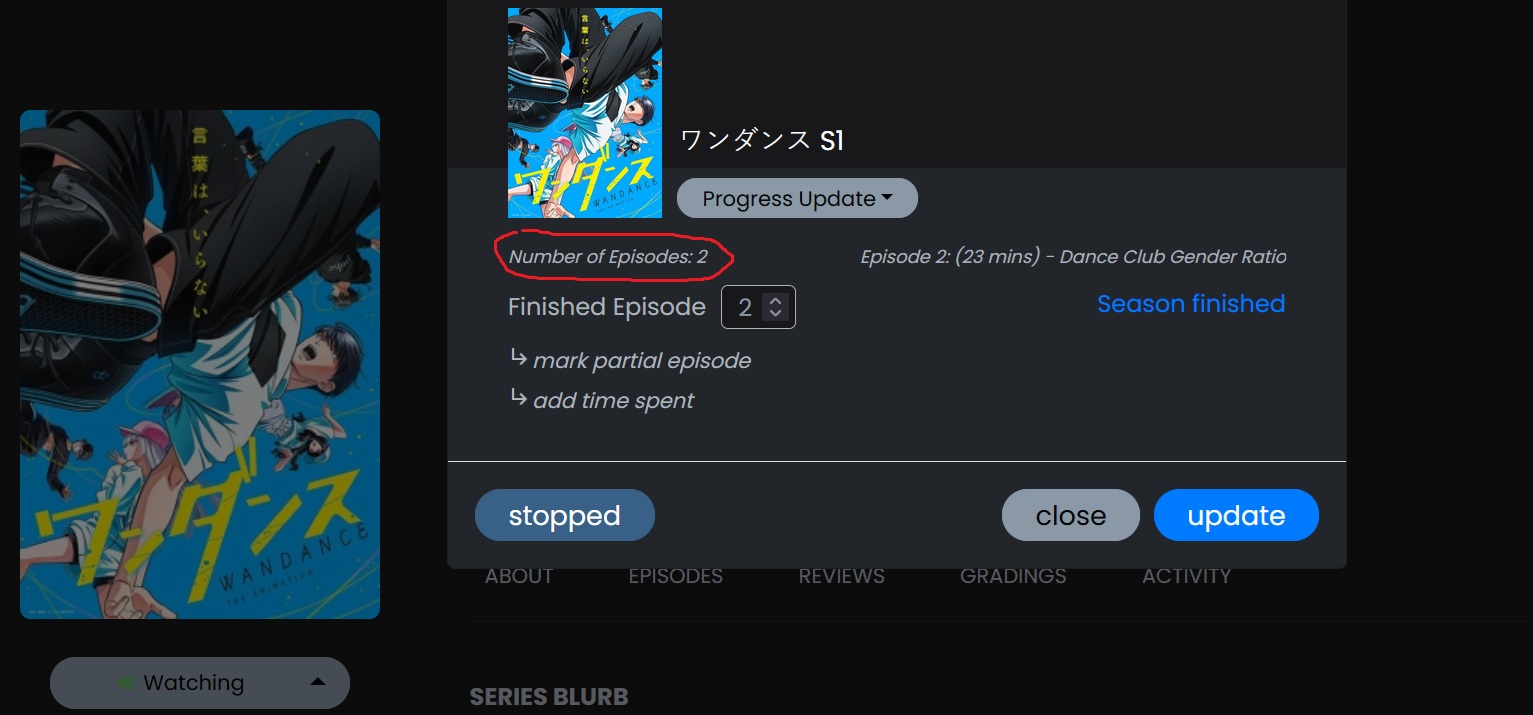
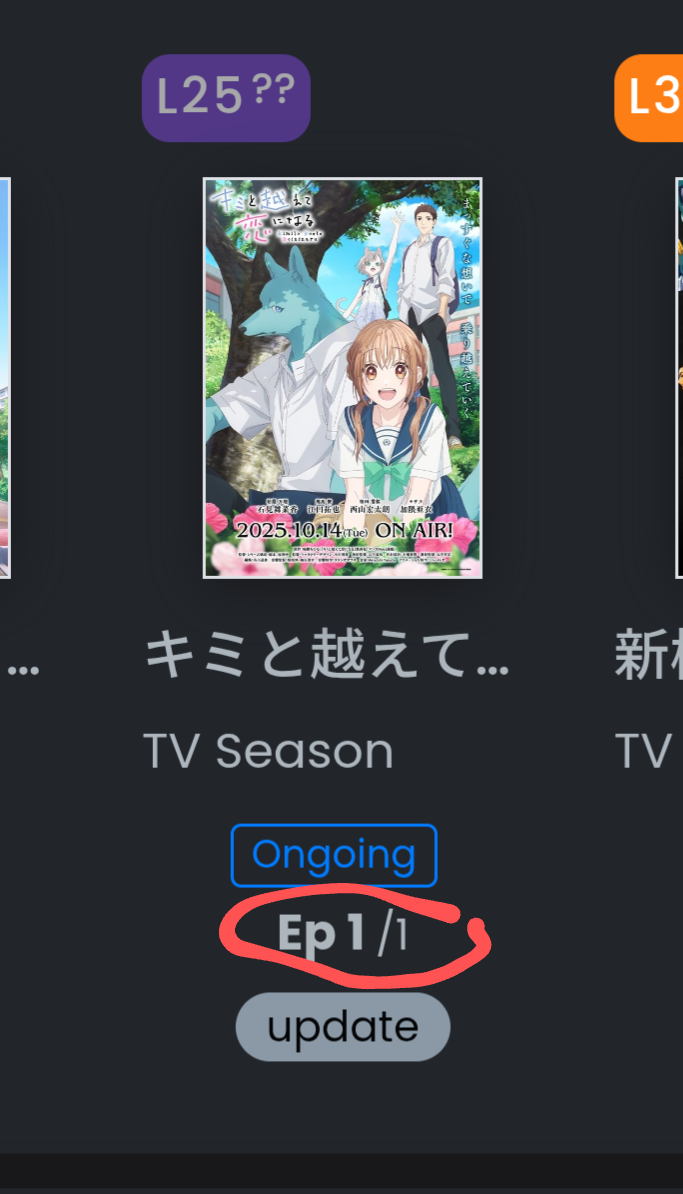
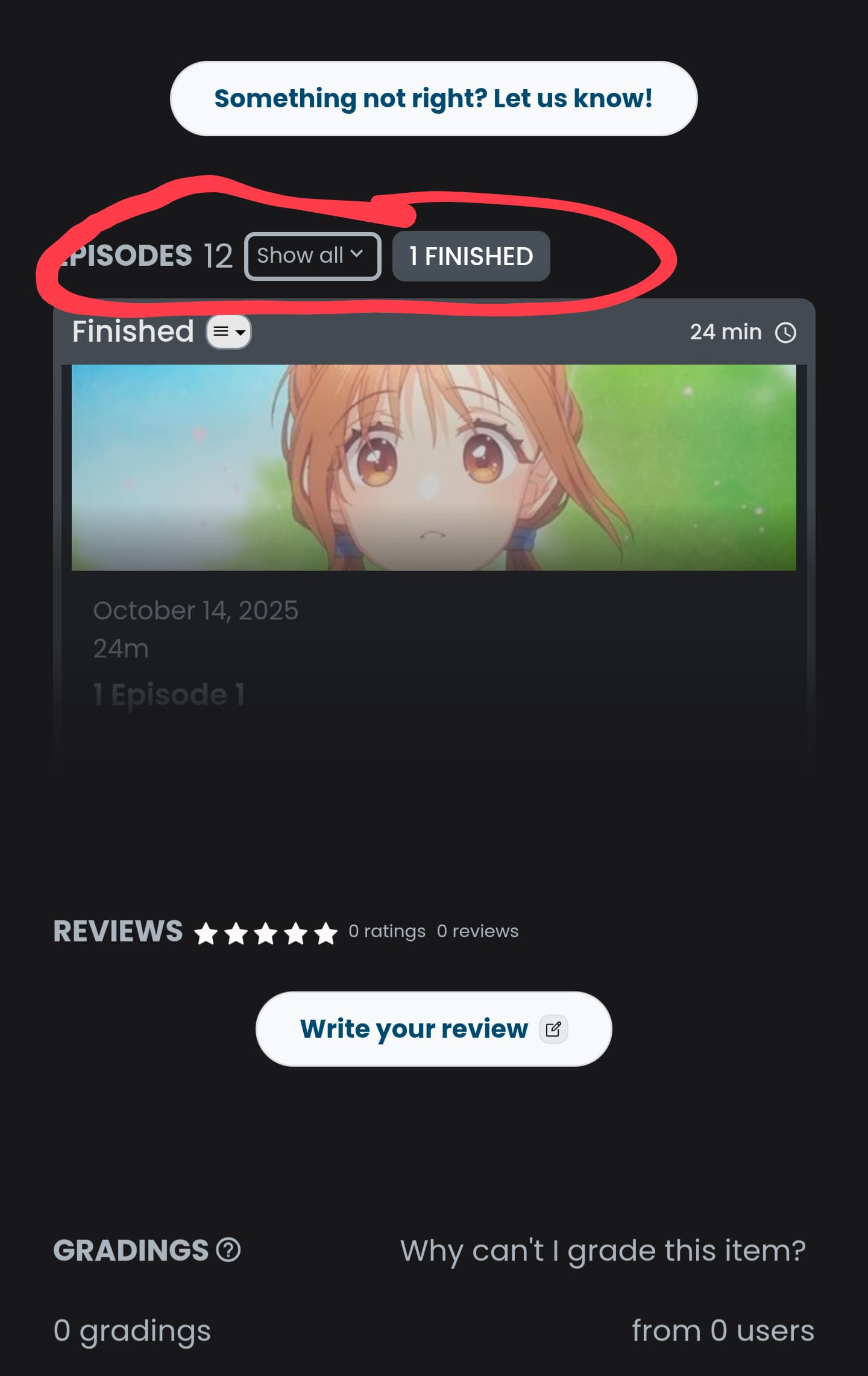
For me the number of aired episodes does no longer increase on the progress update tab, though the basic info tab shows the correct number. So I can no longer use the plus button to mark episodes as watched on the dashboard.
Yes, but it will become 2/1, on the dashboard, which looks weird. I already have two series with this “feature“, and tomorrow there will be several more.
…and people who don’t know about plan B will have to stop logging their seasonals.
Don’t know if this is the right place to ask and if @brandon is the right tag, but I had my profile gradings page turn into persistent 500 errors, probably because of a database corruption while adding あなたみたいに 1巻 百合コレ, first as an individual volume, then as a series - when they got merged together into a single series, my gradings for this series got doubled (carried over from individual volume to series) and the gradings page on my profile broke
Is there a way to unblock the gradings page? I’d like to redo a few of mine
Hey everyone - I will be doing bug fixing tomorrow! Try to get these tv syncers updating correctly and what not along with some other things. Will update you all tomorrow night.
@GolyBidoof I will look into that, sounds annoying!
sorry if it’s too much, but there’s a couple of other things i’ve noticed, if you’d be interested in a few other small bugs i’ve encountered, there’s the following:
my “finished” page in profile refers to wrong level difficulties → for example: SPYxFAMILY shows up as Level 27 on my profile page, is Level 28 on the book page, ガレット No.34 ガレットワークス shows up as Level 24?? on my profile page, is Level 25 on the Book page
Despite あなたみたいに 1巻 百合コレ showing up as series on the page of the book, it does not show up as series on my profile page and both of the books are separate
The final volume of かぐや様は告らせたい 28 ~天才たちの恋愛頭脳戦~ didn’t synchronize the cover and it appears as a blank image, even if Amazon has a cover
And two feature requests I’d have from an archivist standpoint that I’d love to see:
the ability to manually combine different books into one custom series, for example differentissues of Yurihime
the ability to manually change titles (to remove stuff like A.L.C. DX or 1巻 百合コレ from the title) and page counts (because they sometimes sync as 1 or even 0 and the information is not available anywhere, but you know what the page count is)
I know they might be at odds with some of the user requests though, so no rush if there’s no interest in doing those!
You can change page counts for the books you are reading individually for yourself, though not the general page count on the book page for everybody else.
On the dashboard press the update button under the entry of your book. There is an editable field for the page count.
Edit: You can ask for a change of the general number of pages on the book page via the feedback button on that page. I wouldn’t expect a change soon, though.
That I know and use already, but I’m looking for the manual page count entry for a different reason - to be able to anticipate how long a given publication is and make an educated decision whether it’s something I’d like to dig into or not
For example, ガレット is around 200 pages, and 百合姫 is around 600, and if someone were to manually add this information in advance, this would help me to decide which one to dig my fangs into.
I’ve noticed that the picture seems to be taken from the page of the physical version and not the kindle one. Since there’s no physical version for that volume yet, there was “nothing” to take the cover from. I don’t know how all of this works exactly, but this is just something I’ve noticed when syncing new volumes.
Usually that means the book got added here b4 there was a thumbnail on Amazon. For those I use the “Have feedback? Let us know” button on the book pg, and send a link. That said, it would be nice if syncing a series fixed that.
Agree this is useful
I feel like there’s been some discussion of this before. Agree it would be nice
Also saves every future user from having to figure it out themselves, when they pick up something that doesn’t have the page data.
@mic@shitsurei Are these episodes updated now? It seems right on the season pages. I’ve also made it so that when you manually hit sync on the season/tv series pages it should always show the updates when it reloads the page. There was a bug before where it would reload the page and show no changes (at least for a few minutes).
I am still digging into the automated daily syncer for ongoing seasons, but let me know any updates you have.
Side note: As a part of another search I accidentally broke search for approximately 30 mins without knowing! Oops Now fixed.
Well, I just manually ran the sync so perhaps there’s some issues the task encounters when it runs with the rest of the daily tasks. Added a lot more logging, so hopefully can monitor better