After I changed the number of read pages in the data manager from 250 to 259, the basic info dialog and the update dialog keep showing the wrong 250 pages.
1 Like
Ah, good catch! I will look into it.
2 Likes
Can we make the Total Pages field also numerical?
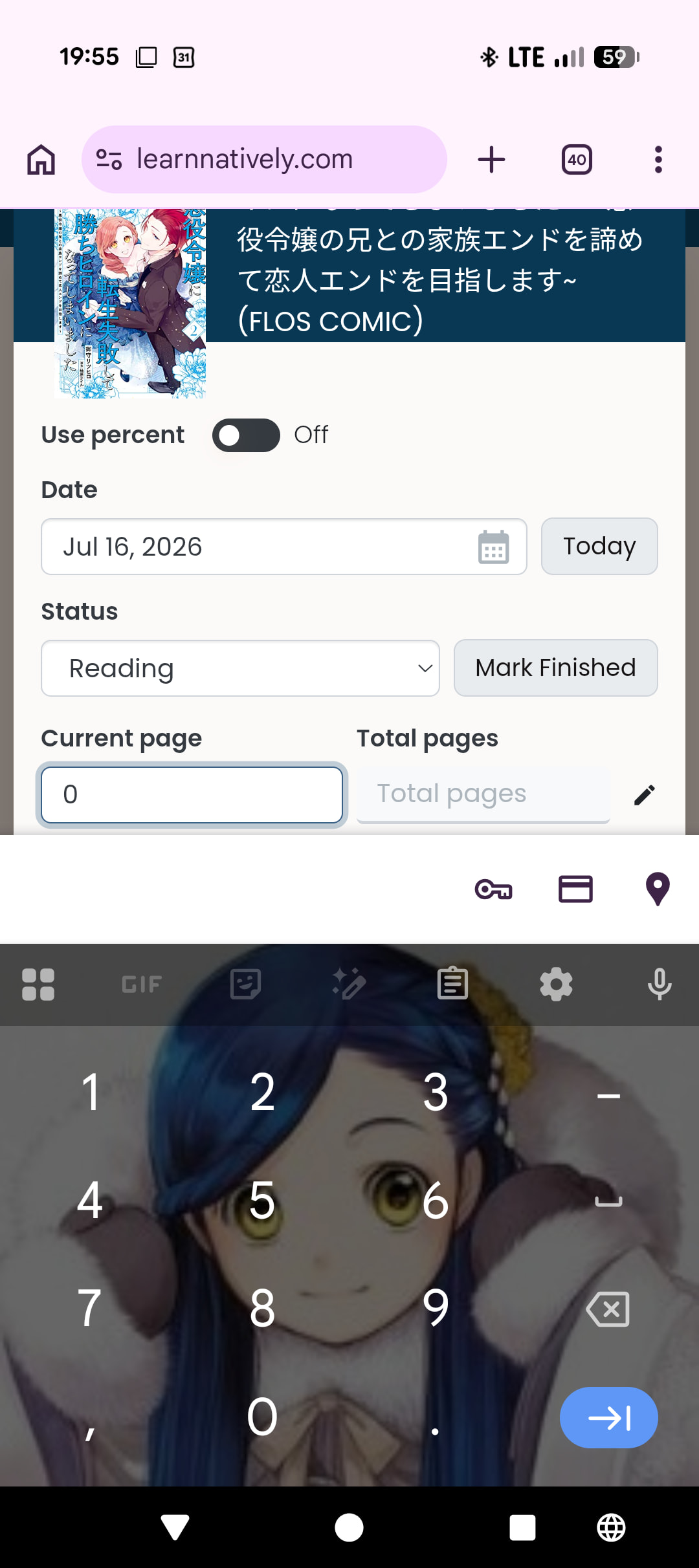

And do we have a better flow for updating a book that doesn’t have pages to "finished than what I do?
Currently I type total pages, click finished (which ignores that fresh total as it’s not saved yet) and type my total pages again in current page.
5 Likes
I was working on it but it turned out to be surprisingly complicated (to do a good error handling). Will put in more effort! 
Oh it should respect that setting even though it’s fresh! Thanks for letting me know, I will look into it 
6 Likes
Related to numerical fields,
I’m often using Japanese input (on mac if any relevance), and want to update my progress on a book.
When I input e.g. 70 (Japanese input) instead of 70, if I’m on use percent = false, then it’s no problem, and updates current page to 70.
However, if I’m on use percent = true, then it doesn’t accept the input at all.
Not a massive problem (took me a while to work out what was going on), but it would be nice if they worked the same.
5 Likes
OK this is in principle fixed now (i.e. if you change the total pages and then mark the book as finished, you get the freshly edited total pages) - sadly I cannot deploy right now but expect it to go live tomorrow at some point 
I have one question though: What would you expect to happen if you do this the other way around: First mark a book as finished and then edit the total pages?
Right now it keeps the current page as it is (and you get an error if you lowered the total pages) but I was wondering whether it should adapt the current page as well?  Maybe only when the total pages are decreased? Or only when the current page was identical to the total pages? Or both? Or nothing? What do you all think?
I’m leaning towards not modifying the current page in these cases, but open to everybody’s suggestions.
3 Likes
If the total number of pages gets decreased below the current number of read pages, you’ll have to decrease the latter accordingly, though, I’d say.
Otherwise I would also say, leave the number of read pages as they are. If the reader wants them to be the same as the new number of total pages they can press the „mark as finished“ or what it is called button again.
2 Likes
The potential issue with this, is I’ve seen over the years requests to track rereads, and this could muck with that.
The only reason I’d mark finished then change the total page count is if I belatedly realized it was wrong and wanted to fix it. I which case the pages makes read when “marked finished” should be adjusted in either direction appropriately.
Ideally total pages should be the same for everyone, but since we don’t handle editions well, I think that would be the best way to handle it personally.
1 Like
That sounds plausible, as it’s an error anyway
That’s a good call. I think I would only want to adapt the current page when it was previously equal to the total pages though, or when the new total pages are less than the current page (just like mic suggested). Because I often don’t read the postscript in books, and when I e.g. read until page 250 of 260 and then realize that the total pages count was actually 262, then I still only read until page 250 
Would you agree that this is reasonable?
3 Likes
I don’t have an issue either way. I also do not track exact pages that closely though, so whatever makes sense for those who do is good with me.
I just would prefer to avoid having to remark as finished if total page count changes after.
3 Likes
hmm…odd behavior?
finally getting back to things after a little vacation and did some frieren catching up to the bookclub but noticed something strange
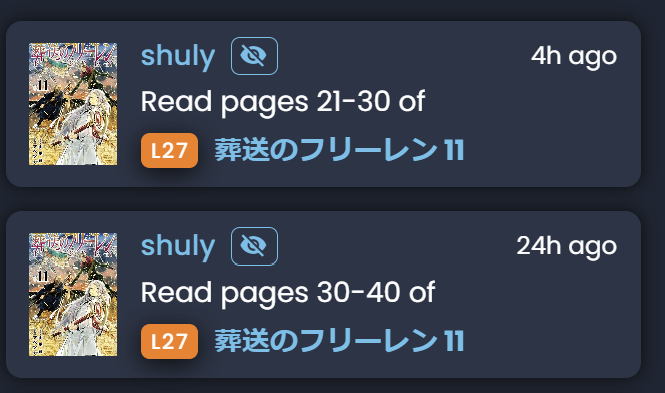
Earlier tonight read a bit of the current chapter, updated went and had dinner …
then finished the chapter and just updated but it’s telling me 24 hours ago
bug, by design, something else? huh?
4 Likes
Hmm. Mind telling me your timezone? Either here or in DM? Also, how exactly did you update it? Through the dashboard? If so, did you manually set the date or let it autopopulate? Eventually we’ll have better tracking on this so we can determine ourselves xD
5 Likes
los angeles time (PST / currently DST)
update via this button
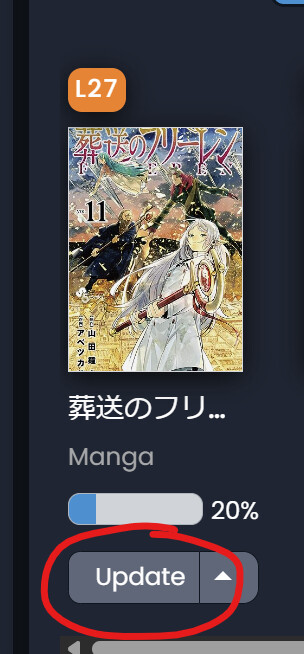
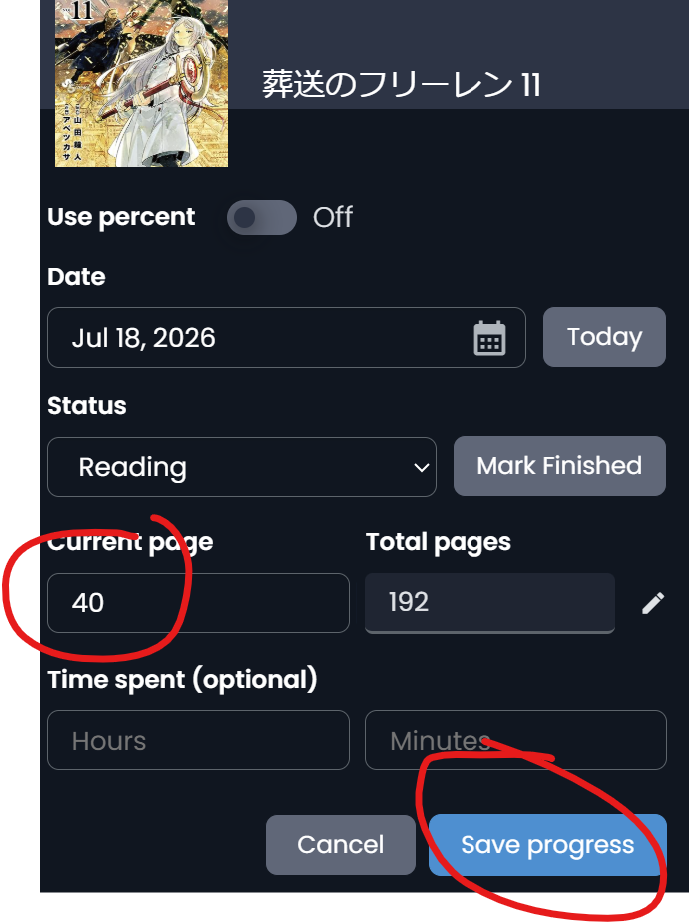
all I did was enter the page number and click save progress
noticing it’s not the only one out of order now that I look at the feed
minor thing but annoying - don’t usually read books out of order 
5 Likes
Ok thank you - we will investigate. The activity feed for reading updates should absolutely be in correct order, so something is going wrong!
5 Likes
@shuly This seems to be the same issue as this one:
@mathew is working on it, but it seems that life got in his way during the past week. Sorry and thanks for your patience! 
5 Likes
it could be, but fyi…
For me the date never changed it was always the 18th here.
I never “set the date” manually
only used the pages and saved progress.
4 Likes
Oh that’s good to know, thank you! Hmm, that destroys half of my theory, but I have another idea. Will try to figure out more tomorrow!
4 Likes
@Voi @mic I’ve updated the page adaptions so that the current page follows the total pages more closely. Please let me know if something feels strange to you or if I overlooked a scenario that should also lead to an adaption.
5 Likes
glad to see my evil plan is working
if it helps it’s just about 1030PM in socal…
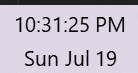
and I added 8 pages no date/time mods just the normal add pages to a book and suddenly it’s 25 hours ago

not sure how to account for the lost time
must have been abducted by aliens or something 
5 Likes
Yep this bug is known. Basically any reading update logged on a day previous to ET gets marked as 24+ hours ago. So for west coast time that means any update logged after 9PM gets this bug. Mathew’s fix should resolve!
5 Likes