When I try to update a book’s percent complete, if the number after the dot is 0 (e.g. 12.08), when I press 0 it acts as a backspace, and erases the dot. Only when I wrote a different number other than 0 after the dot and then changed it to 0 it worked
OK so @mathew and I did some investigations, and I think we know what’s going on.
Looking at your activity feed, this is what we think happened:
On July 8th at 1:48 your time, you logged 甘くて切ない pages 133-141
On July 9th (at some time between midnight and noon), you logged 甘くて切ない pages 141 - 159 and set the date back to July 8th
On July 9th at noon, you posted the above screenshot
What happens now is that if you submit a reading session with today’s date, we can assume that it happened just now, and we take the full date and time. But if you submit a reading session with a date in the past, we don’t know at which time this is supposed to have taken place, and so we set it to 0:00 (ET) on that day. (We can discuss whether this is the smartest time to pick, but other times will have similar effects in the opposite direction.)
This means, as far as the site is concerned, you actually logged:
the progress from July 7th on the 8th at 1:48 PT
the progress from July 8th on the 7th at 21:00 PT
and that’s why they appear reversed in the above screenshot.
Yes you see it, it’s the second one from the top - the pages are further than in the topmost entry
We are aware that this is not ideal, and we will try to improve the situation but first of all we wanted to explain what is going on! Thanks for your patience, everybody.
I suppose you could pick “the earliest time on that day which isn’t earlier than the previous already logged session” (and if the previous session is a date later than the one being logged now, ask the user if they really want to put the sessions out of order?).
I wonder how often this happens. “User records a session during the day; in the evening they read in bed before going to sleep, and want to record the session the following morning with the right (previous) day” seems a reasonable sequence of actions. Personally I just let the update have the wrong day, but I might care more for the last day of the year
Looking at the current update dialog, it doesn’t really look that easy to fat finger, at least on my screen. Do you normally click around with the date, even if you don’t intend to change it?
I don’t.. which is why I was kinda surprised. It’s possible that I started an update, put my phone down and then came back to it a minute later and then I had been in a menu I hadn’t meant to.. but I kinda doubt it..
Either way I mostly don’t mess with the dates (even when it does mean that my after midnight reading gets logged “incorrectly” for how I want to count the dates).
I figured out what was wrong here! I had set My Profile URL to be different than my username, so that it used romaji instead of kanji. Seems like you had made the link so that it links to /username/jpn/books/ instead of using the URL the user had chosen. It started to work properly once I changed My Profile URL. @暁のルナ , your profile URL is different from your username as well. Do you have that same problem?
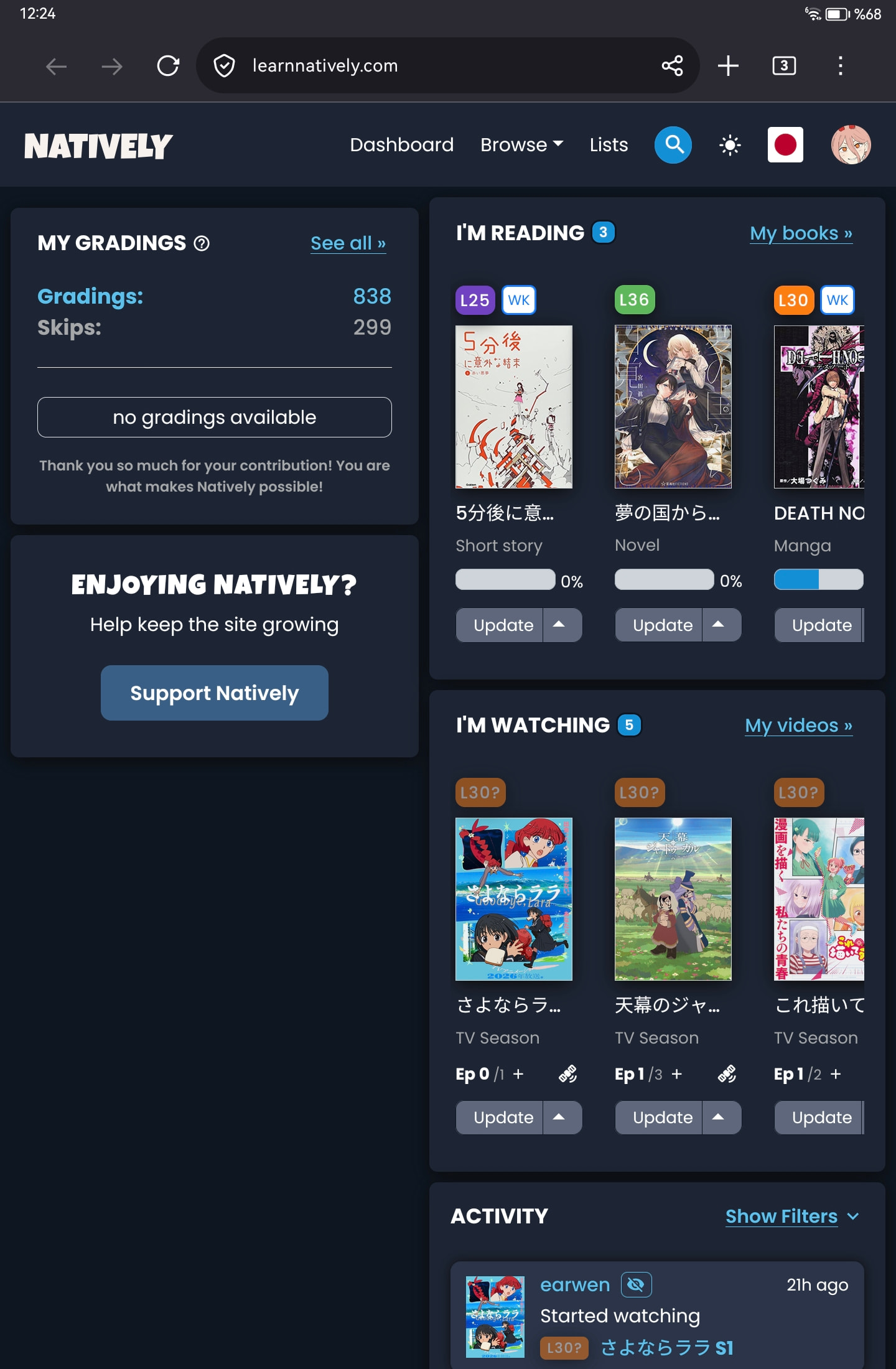
On my tablet the layout feels a bit off, It feels too narrow, like it should be just one column not two. I think thats how the old dashboard was at least so it might be just a matter of getting used to it I guess
When updating a book from the dashboard on mobile, if I type in the time spent and then press enter on the keyboard after writing the minutes, the update dialogue closes and saves the session without recording what was written in that box. The first time I entered 1hr 35min, and the session saved as 1hr, the second time I entered just 55min, and the session saved with no time recorded.
Yeah it looks a bit cramped… Could you please tell me what tablet this is so we can see what we can do?
You mean you input the number and then immediately press the return key? What kind of mobile is this? I‘m on an iPhone and I don’t even get a return key on that numberpad
I will try on desktop, this might behave the same…


 but first of all we wanted to explain what is going on! Thanks for your patience, everybody.

 It’s fixed now, thanks for finding out the root cause