I take it you marked it from the new dashboard? Did you use the update dialog for that?
You mean on the “My Books” page? Or where are you seeing that?
I take it you marked it from the new dashboard? Did you use the update dialog for that?
You mean on the “My Books” page? Or where are you seeing that?
Yes I marked it finished on the dashboard and it stays in the reading list of „my books“. And marked the other book reading on the book‘s page, but it is not displayed under reading on „my books“.
The books have correctly vanished/appeared on the dashboard, though.
Now that I added 15 pages as read, the second book appears in the reading list on „my books“, but the first one hasn‘t yet disappeared.
Edit: Now the first one has gone from the reading list. Until now, though, these were instant operations.
Sorry about this @mic! I’m in the process of fixing / refreshing search right now which impacts the user library interfaces. I accidentally missed a window of user book / movie / tv updates (which is now fixed) so everything should appear correctly now.
We may be experiencing some slight search slowdowns as i refill up the search store.. will make a general announcement.
I see! Losing the arrows was a bit of a collateral damage, sorry! I have put them back for the number fields (except the percent field for books) 
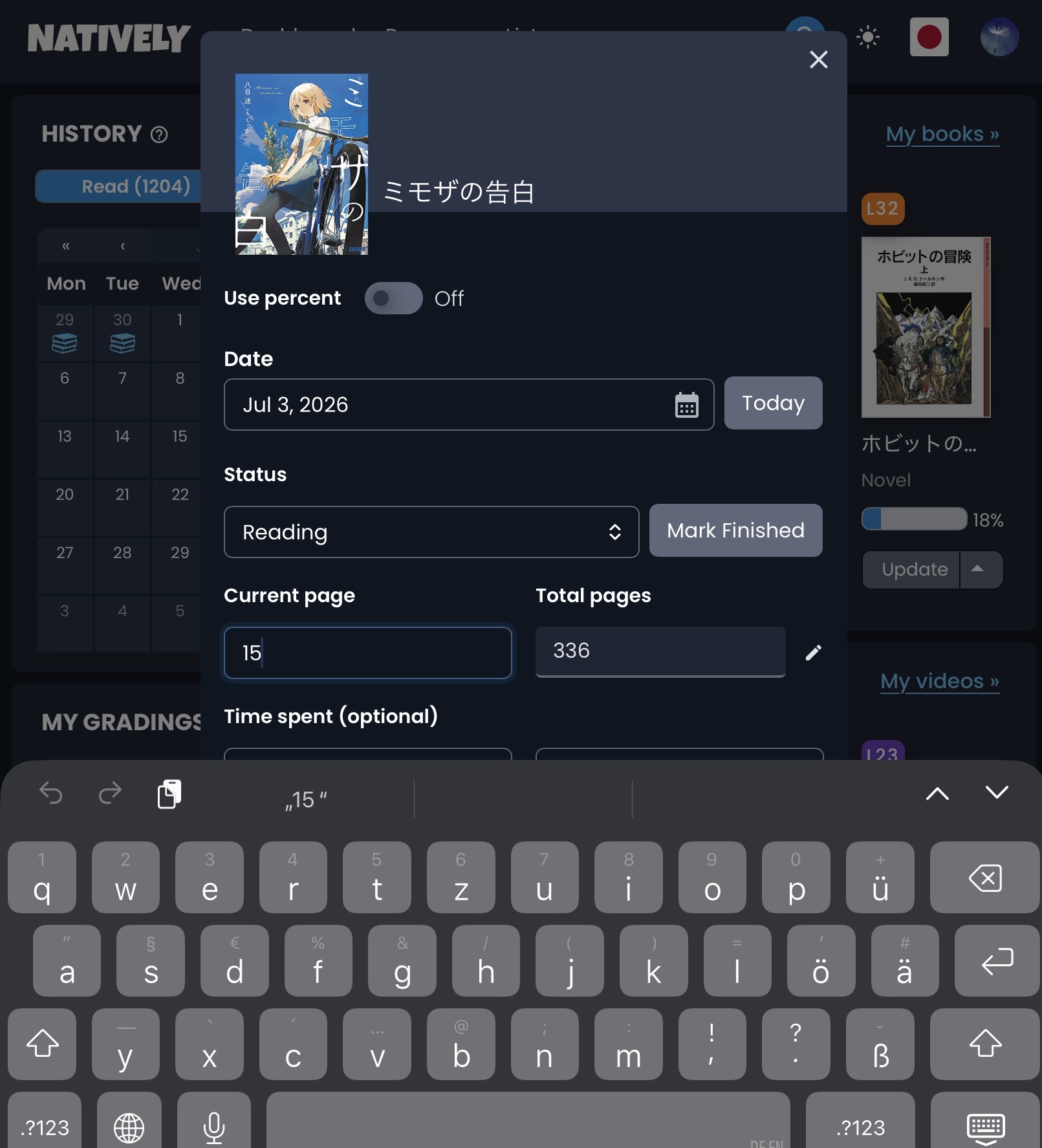
I still think the Update dialog for books is too big (at least on my iPad)
The bottom of the dialog is hidden behind the keyboard. So, after I edit the current page, I first have to move it up to be able to press the Save button.
Bug with the new dashboard I think…? Unless i’m being dumb Sorry if someone’s reported this already!
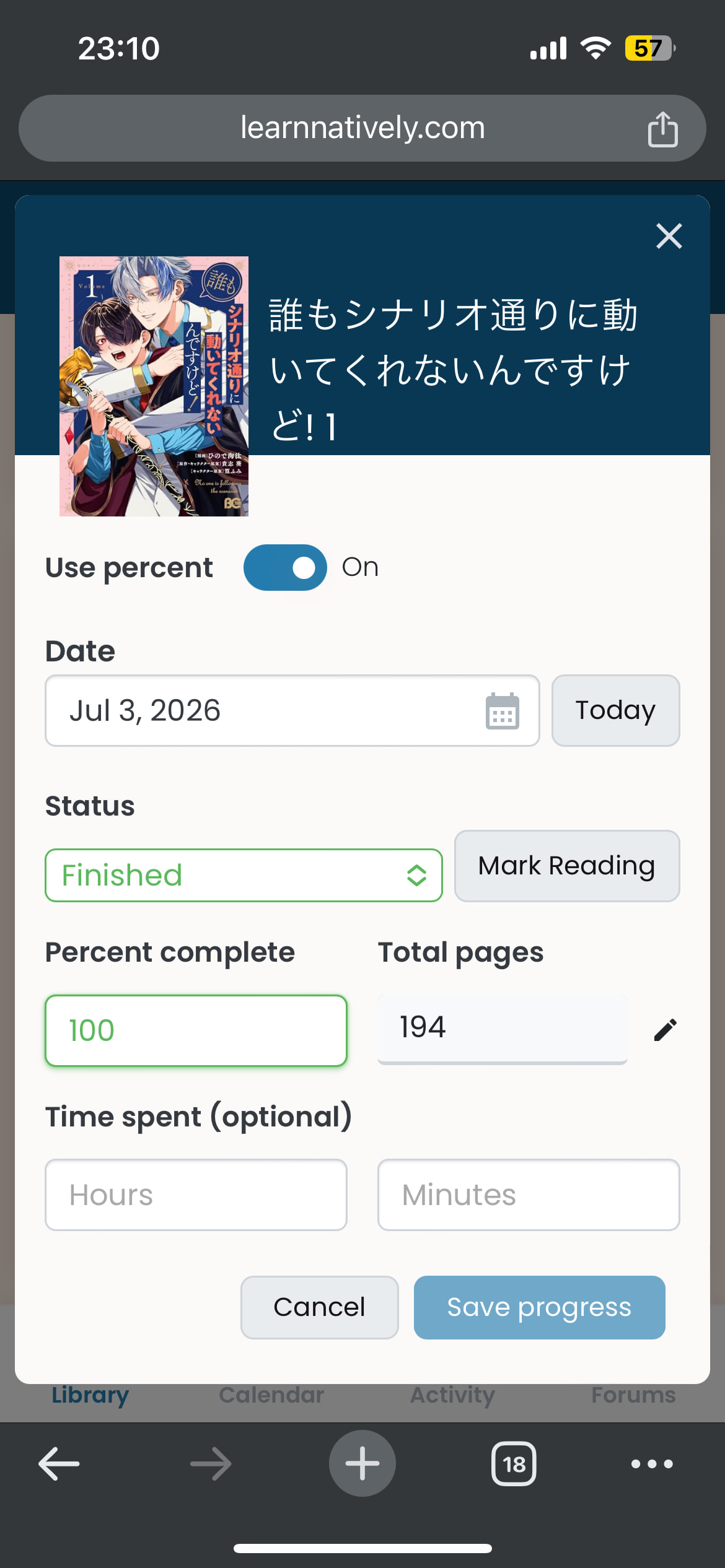
Submitted a new book, set it as reading on the request for ease of marking the whole thing as read today, then immediately went to the dashboard to mark it as finished, but I can’t seem to hit save progress no matter what I do. Tried with and without page count, different percentages, etc:
Why’d this have to happen with my isekaislop of all things so I now have to show the world it on the forums hahaha
Edit: Aha! I spammed the button and it worked. Not sure what I did differently other than manually typing both the total and current page numbers. The button also remained greyed out  The page count for this manga didn’t auto populate which could have something to do with it?
Thank you very much for this report, it unearthed a glitch! And yes, you are right in that it has to do with the missing page count 
Unfortunately the fix is a bit more involved, but I am on it! 
Good luck!
I think I got it sorted now! It still looks a bit funny, but at least you should be able to save now. (I know you finished it already, but in case you encounter another book without page information…)
I was mostly away for a couple of weeks so I’m not sure if this has been discussed already, but I noticed that when I click “My books” in the “I’m Reading” -widget, or “My videos” in the “I’m Watching” -widget, it just takes me to my profile overview. By copying the link, I see that it’s supposed to take me to the correct place, so I’m not sure what’s wrong with it. Could it be because my username uses kanji? By copying the links I get /user/%E6%A8%BA%E7%9F%B3/jpn/books/ and /user/%E6%A8%BA%E7%9F%B3/jpn/videos/ (I’m putting only partial links because %E6%A8%BA%E7%9F%B3 turned into the correct 樺石 here), and when I click the link they both become https://learnnatively.com/user/kabaishi/jpn/.
Since the menu’s were overhauled, I was thinking about how cool would it be to be able a timed session from the Dashboard. I never use this feature because it’s a hassle recording the time.
The little arrow menu under a book could have an additional item “Start timed session” and would start a timer (invisible). Then it changes to “End timed session” (possibly with a confirmation dialogue to really end the session). Then this would open the normal page-logging menu, but with the time already set in there.
Just noticed that if I use the update dialog to mark that I’ve read some pages, it doesn’t refresh the “history” panel to match. The box for today stays blank until I hit reload in the browser, and it’s only then that the little pile of books icon shows up.
What a timely comment  I knew that this (plus some other minor updating inconsistencies) were still missing, and I am working on them right now! I‘ll let you all know when I‘m done. Sorry and thanks for waiting.
@nikoru I just noticed that if I click on a user’s name in the activity feed on one of their progress updates, the link brings me to the activity section of their profile, and if I click their name on a status update, it brings me to their library. Is this intentional? I assume it is; I didn’t realize it was a new feature from the old dashboard, which only ever took you to their main profile page.
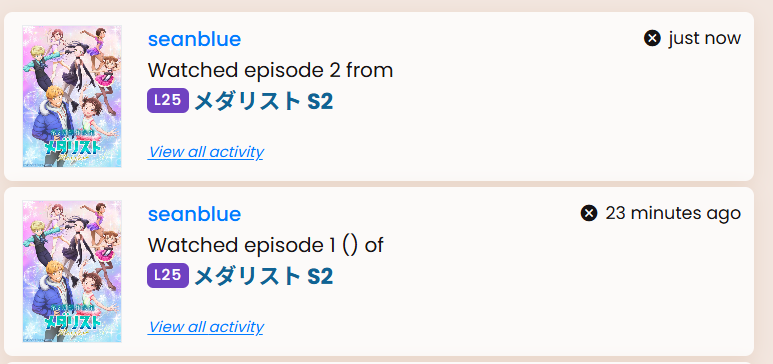
The dashboard is doing something weird with activity. I used the dashboard’s increment button for episode 1 and it added these empty parentheses for some reason. I marked episode 2 as watched from the show page itself and it worked as expected.
Yay, somebody noticed! 
Yes, this is intentional. In the old dashboard we had (and on the activity page we still have) a separate link on the cards to take you there (as you can conveniently see in the post above, “View all activity”). As we wanted to reduce the cards’ height, we decided to sneakily put that link on the user’s name instead because as you said, the link behind the name was always the same. Congrats on finding this!
@seanblue Thanks for letting us know! There seems to be a bit of friction between the new dashboard and the activities. I’ll put it on our list!
Ok, I’m actually pretty sure this time that this is a bug. I haven’t been able to see my activity as I log it, but then when I wake up in the morning it’s there again (I’m on PDT if that matters at all). Weirdly enough, I feel like if I log activity during the day I don’t have this issue.. but that might just be some cargo cult logic on my part 
I’m not 100% sure but maybe it’s related to this? but maybe this is a different problem?
I checked this morning to see if I was crazy and now I have an even weirder thing:
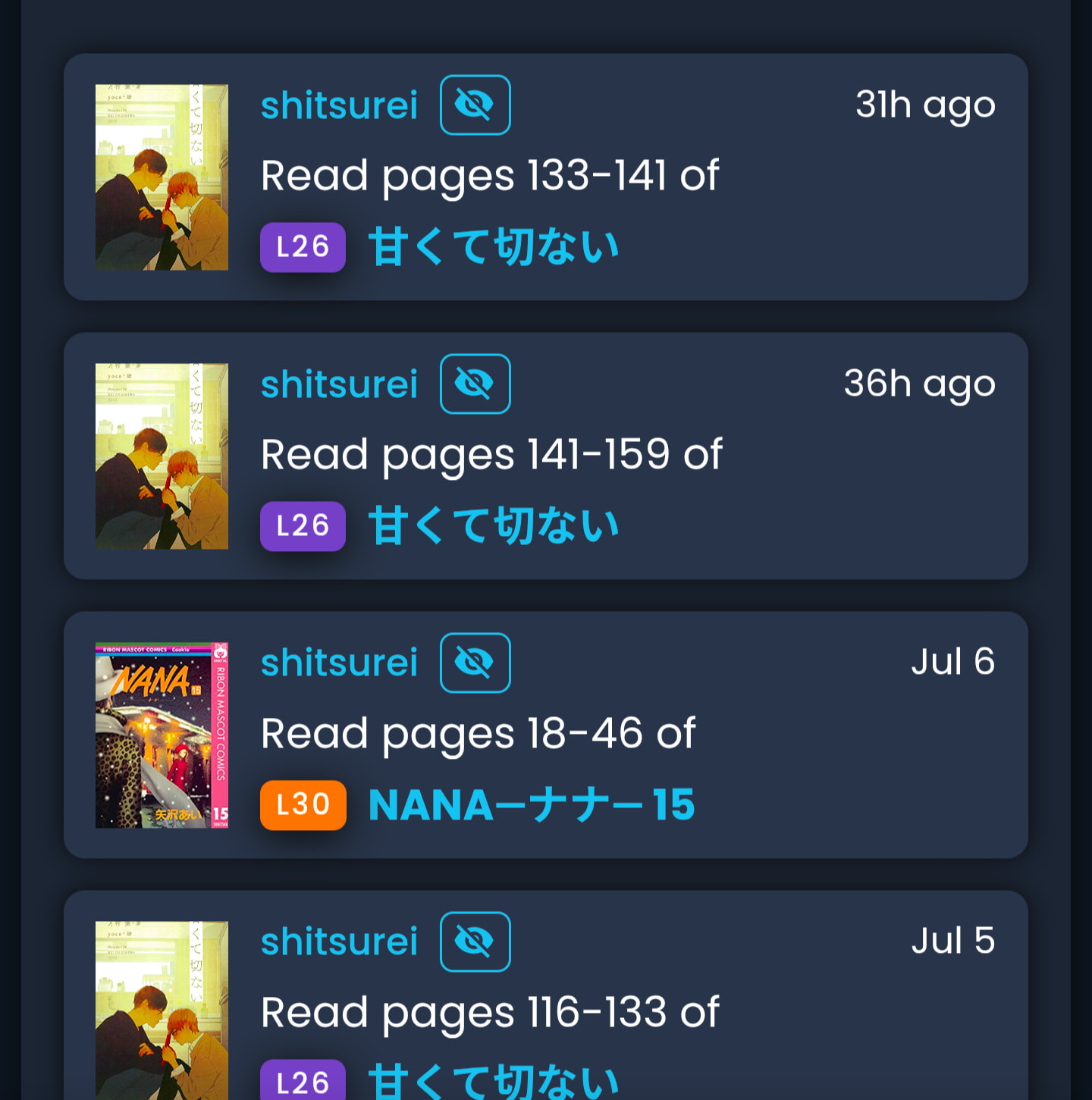
I still don’t see my activity from last night (even though in my now reading my progress update is reflected in the percentage being where I am in the book), and now instead of changing to the previous day’s date it reports my updates in hours more than 24.
If that’s intentional, I really like that. Cuz sometimes I do want more specific than “yesterday”
It looks like the older if the two collapsed to July 7 now. The newer one still says 32 hours. Not sure if that makes intentionality more or less likely